Option for responsive design
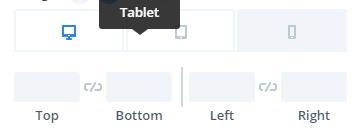
@micker If I'm understanding you correctly, then this is already implemented, when you change the styles of a component on a given device, a media query will be used. You can see that on the demo page: https://grapesjs.com/demo.html You can change the device to mobile, change the width of something and go back to desk...
Read full answer below ↓Question
hello i am not sure its not already implement but i didn't find where
=> with grap we can change display for check responsive option but we can't change option for specific device ?
like change size of block on smartphone
exemple
what do you think about this ?
Answers (3)
@micker If I'm understanding you correctly, then this is already implemented, when you change the styles of a component on a given device, a media query will be used.
You can see that on the demo page: https://grapesjs.com/demo.html
You can change the device to mobile, change the width of something and go back to desktop. The change is only applied for the mobile device. You can click on the view code icon at the top, scroll down to the bottom and you will see the media queries.
Ah cool
@MartinPutz I have implemented the responsive feature as shown in the getting started guide but when I click on the mobile icon, the layout is only squished. (The two-column layout does not change to two-row. Only the width is reduced) Can you pls help me if you have worked on the responsive design?
Related Questions and Answers
Continue research with similar issue discussions.
Issue #3040
FEAT: Mouse over text on Style Manger items
What are you trying to add to GrapesJS? Hi. Not sure if this is already baked in but: Is it possible to change the mouse over text on a cus...
Issue #1044
change src for image element in model
hello when a image block drop to editor i hide the default asset manager and display my custom asset manager: fot this i have no problem.bu...
Issue #3123
FEAT: Add 'inline-flex' to display selector in Style Manager
What are you trying to add to GrapesJS? Display style inline-flex. Description: Currently the display selector of the Style Manager has onl...
Issue #3328
How can I update the nodeValue (text value) of components by inputs forms
Hello. Grapesjs is a great tool. Thanks for it. I want to update the text value of a component by inputs, how can I do that?? if a user fil...
Paid Plugins That Match This Issue
Curated by issue keywords and label relevance to help you ship faster.
Loading paid plugin recommendations...
Check the open-source GrapesJS plugins on GitHub or run a quick search in our free catalog.
Browse free plugins →Premium plugins ship with support, regular updates, and production-ready features — save days of integration work.
Browse premium plugins →Browse Plugin Categories
Jump directly to plugin category pages on the marketplace.