新增工具栏元素
我不太懂一些词,但如果你想移除选中的元素,可以用 SelectionManager: 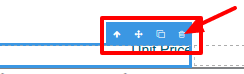 如果你需要创建一个新按钮,可以用这里的指南 https://github.com/artf/grapesjs/wiki——创建面板,然后按钮,然后命令这个按钮......
阅读下方完整回答 ↓问题
你好。我来自巴西,抱歉英语不好。 我如何在工具栏上创建一个新的按钮,并且在工具栏上针对所选元素设置自定义事件?Igual ao que remove o elemento selecionado.
回答(3)
我不太懂一些词,但如果你想移除选中的元素,可以用 SelectionManager: 
如果你需要创建一个新按钮,可以用这里的指南 https://github.com/artf/grapesjs/wiki——创建面板,然后按钮,然后命令这个按钮......
非常感谢你的回复。我想在选择元素时在工具栏上创建一个新按钮。
你好,Fabiano,请在这里查看 #266
相关问答
通过相似的问题讨论继续研究。
问题 #542
在 PanelManager 上调用 render() 会导致样式管理器失效
代替#540,我尝试手动移除选项面板中的一个按钮,使用这个: 这个方法还行,按钮消失了,但“pnm.render()”似乎破坏了样式管理器,导致它变得无响应。其他东西似乎都没坏,只有造型有问题。这是我引入的问题还是个bug? 谢谢!
问题 #1481
Component.remove() 在拖拽和垃圾时被调用
目前还没有办法区分在拖动组件时调用的 remove() 功能。当你按下垃圾按钮时。 这对我来说目前是个障碍,我打算自己分叉和破解,但如果这个功能能用会非常有帮助。
问题 #795
Editor.getSelected() 在 run:open-assets 中
你好! 我希望在不必创建新的块按钮,也不想停止与图片关联的事件,这个“run:open-assets”能在画布中获得编辑器创建的区域,并添加我用个性化模态图片获得的图片。 我想澄清一下,当我在画布内双击图片并从图片管理器中选择该图片时,更新时是正确的,但当我从块面板添加时,它没...
问题 #768
IE浏览器问题
你好@artf, 由于 https://github.com/artf/grapesjs/issues/214 已被关闭,我创建了本期问题...... 我克隆了最新的仓库,并在IE 11上运行,出现了错误: SCRIPT438: Object doesn't support p...
与此问题匹配的付费插件
根据问题关键词和标签相关性精选,助你更快交付。
正在加载付费插件推荐……
相关教程
关于同一主题的深入指南。
浏览插件分类
直接跳转到市场上的插件分类页面。