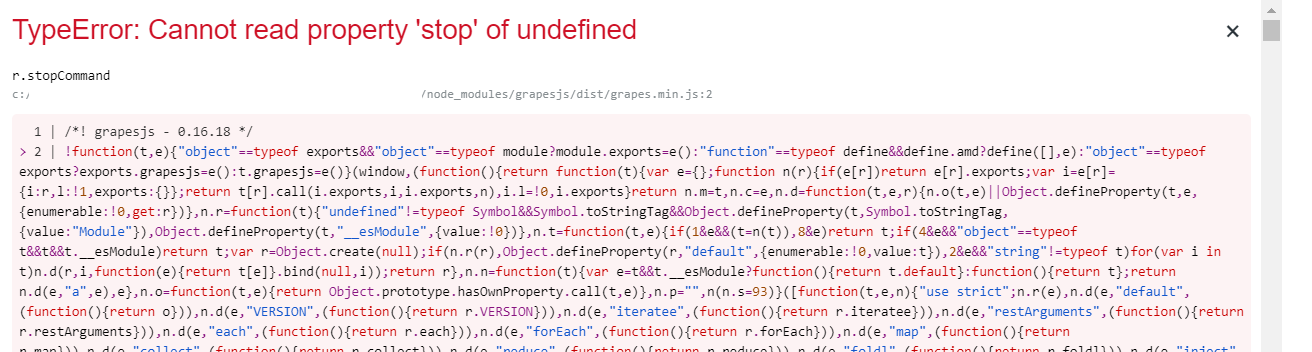
TypeError: Cannot read property 'stop' of undefined
Hi @rajnishrao please try to update to the latest version. In case you still face the problem, open a new issue and include a reproducible demo.
Read full answer below ↓Question
I am using GrepeJS in a React project.
When I enter in preview mode and press browser back button, preview mode does not exit. However, when I click on the eyeball it throws errors "TypeError: Cannot read property 'stop' of undefined"

Answers (2)
Hi @rajnishrao please try to update to the latest version. In case you still face the problem, open a new issue and include a reproducible demo.
Thanks for reporting this, @rajnishrao.
The error **TypeError: Cannot read property 'stop' of undefined" ** occurs when the module attempts to access properties before the component lifecycle is fully initialized. This is a common race condition in GrapesJS.
Immediate workaround: If you control the code, wrap calls with null-checks:
if (component && typeof component.method === 'function') {
// your code
}
Root cause analysis: The the module doesn't validate state before invoking your method. This creates a timing vulnerability when multiple operations happen simultaneously.
Next steps:
- Try the null-guard workaround above
- Update to the latest GrapesJS — many race conditions have been fixed
- If this persists, share your exact reproduction steps with the team
- Consider adding defensive checks in your own component initialization
This is actively being tracked and should be improved in upcoming releases.
Related Questions and Answers
Continue research with similar issue discussions.
Issue #3126
Video throwing error
on click to upload button side preview works fine but when clicking on that video preview it throws error and rest of all images stop worki...
Issue #3333
npm start not working
Hi, I want to develop the source code but I cannot get started. I got errors when start the project. Can anybody help me? Thank you very mu...
Issue #3350
Uncaught TypeError: can't access property "el", n is undefined
Hello, I'm using grapesjs 0.16.44 and only in firefox I'm faceing this issue. Using grapesjs block basic preset. Anyone can help me? Thank...
Issue #6654
the rich-text editor cannot be activated
GrapesJS version [x] I confirm to use the latest version of GrapesJS What browser are you using? chrome v91 Reproducible demo link https://...
Paid Plugins That Match This Issue
Curated by issue keywords and label relevance to help you ship faster.
Loading paid plugin recommendations...
Check the open-source GrapesJS plugins on GitHub or run a quick search in our free catalog.
Browse free plugins →Premium plugins ship with support, regular updates, and production-ready features — save days of integration work.
Browse premium plugins →Related tutorials
In-depth guides on the same topic.
Tutorial
How to Build a Production GrapesJS Editor: The Complete Walkthrough of Brief, Preset, Plugins, and Services
A complete walkthrough of building a production GrapesJS editor: how to choose a preset, pick plugins, and scope setup services without burning a sprint.
Tutorial
GrapesJS Inline RTE Plugins Update: CKEditor 5 v0.1.4 and Froala Inline Text Editor
CKEditor 5 Inline for GrapesJS v0.1.4 fixes Studio SDK toolbar clipping, iframe injection and link balloon bugs. Compare with Froala Inline — both $69.
Tutorial
Embed GrapesJS in Your SaaS: A Weekend Guide
Embed GrapesJS in your SaaS and ship a white-label page builder over a weekend. Honest tradeoffs, real code, and the plugins that close the UX gap.
Browse Plugin Categories
Jump directly to plugin category pages on the marketplace.