:某些表单组件与预设网页插件不兼容
啊,明白了,现在我明白了。是的,Forms 插件会避免某些默认输入行为,所以这是设计目的。我同意在预览模式下这些行为可以重新启用,但我觉得这部分可以集成成插件(比如在预览命令中使用事件监听器)
阅读下方完整回答 ↓问题
你好,我注意到一些表单组件(比如复选框、无线电和选择)在用预设网页插件初始化 gjs 时无法工作,比如下面的示例: 你也可以通过在线网页演示确认这个问题 [https://grapesjs.com/demo.html](网址)
预期行为: 可以正常选择所有这些(仅限预览模式) 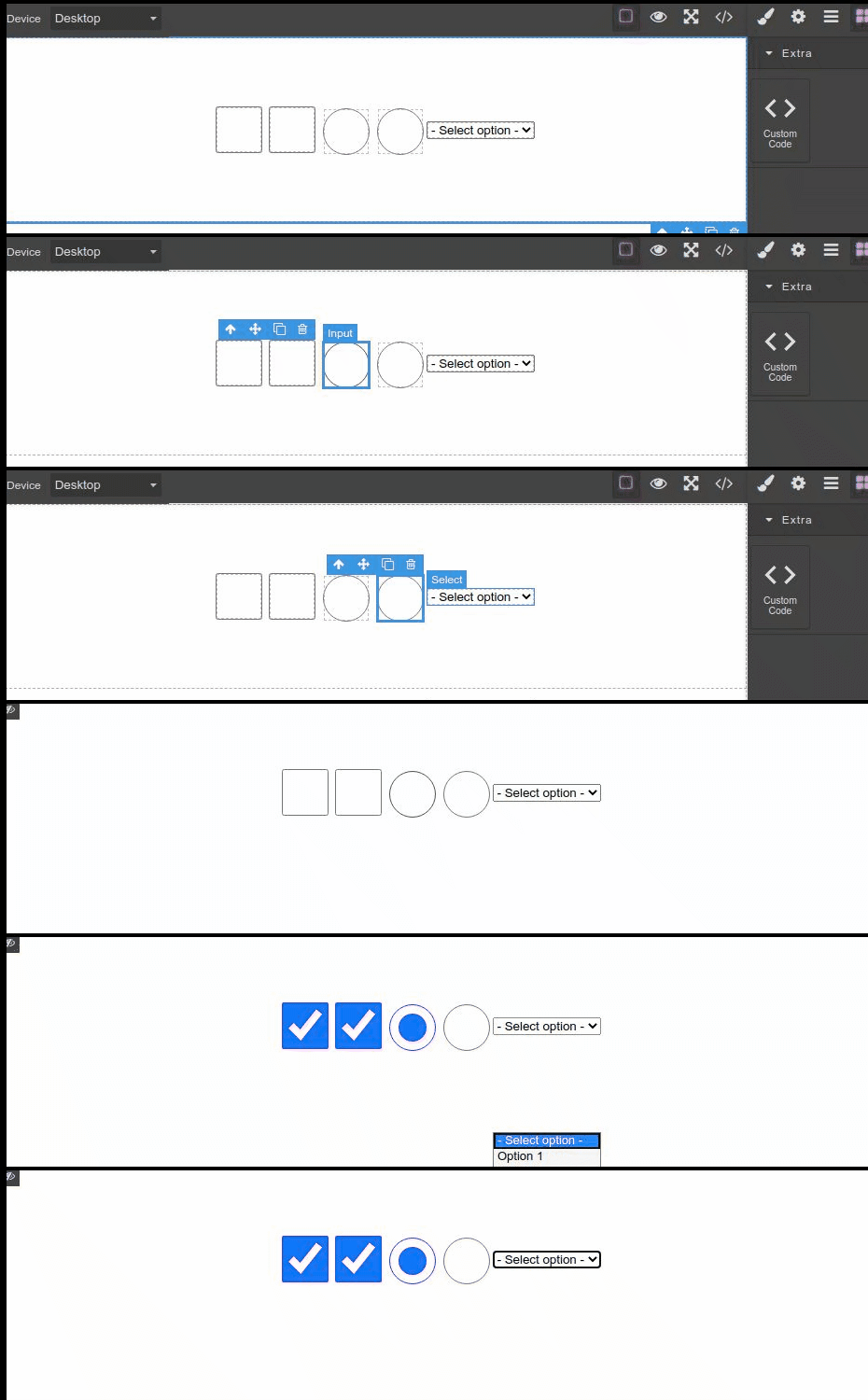
当前行为: 无法选择任何内容(即使在预览模式下也无法) 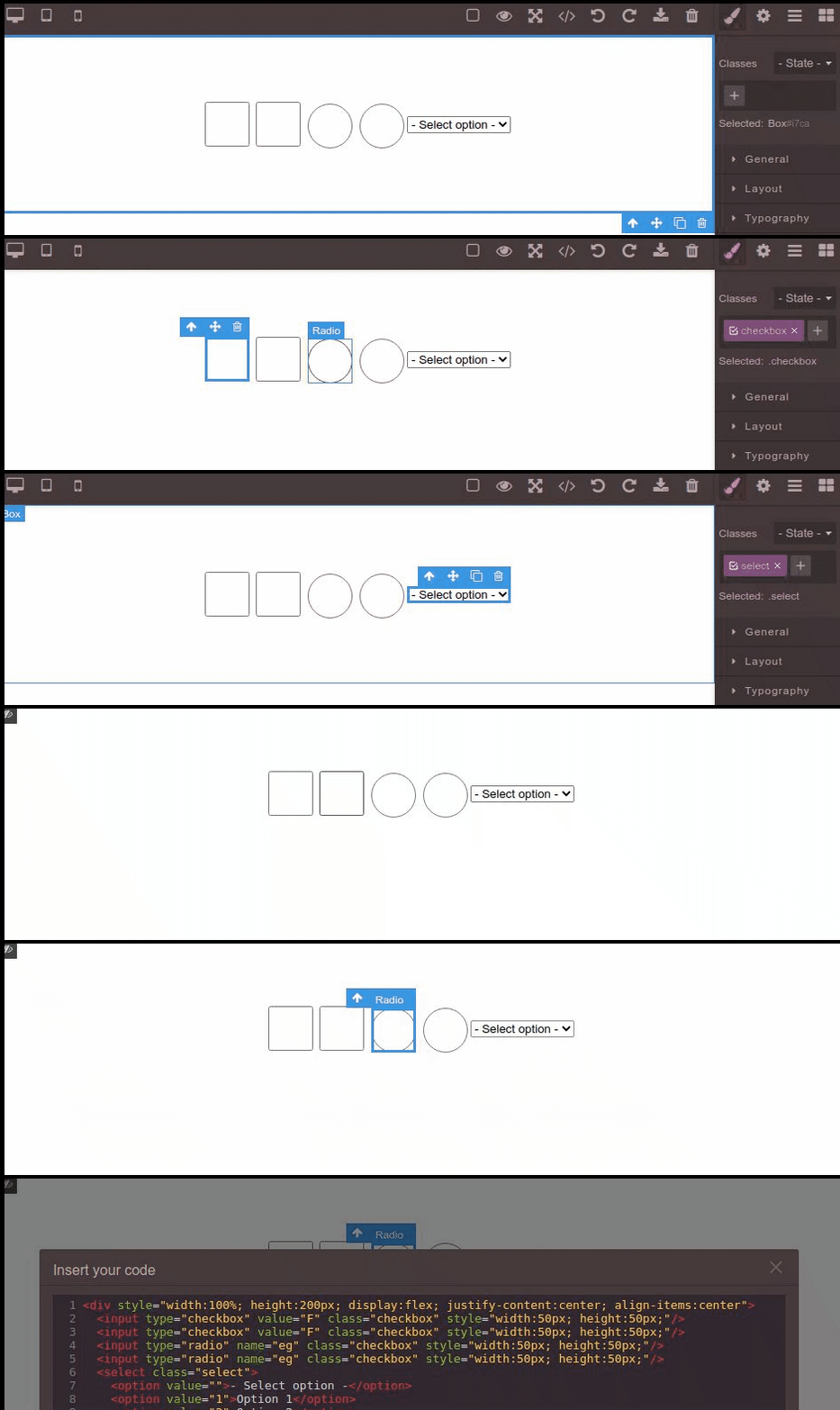
顺便说一句: 当我点击选择按钮时,选项显示的选项远离父节点(在第一个动图中),但这是因为录制时的这个动图,因为它显示在选择图标下方,作为正常行为,所以可以忽略它。
回答(3)
啊,明白了,现在我明白了。是的,Forms 插件会避免某些默认输入行为,所以这是设计目的。我同意在预览模式下这些行为可以重新启用,但我觉得这部分可以集成成插件(比如在预览命令中使用事件监听器)
嗯......好的,我会试试,谢谢你的帮助 :+1:
重建插件后,行为正常,问题解决了。
也许我这么做是有原因的?!😅
通过插件,你可以简单地扩展这些组件,并用你的逻辑覆盖“handleClick”功能,只有当编辑器不在预览('editor.Commands.isActive('preview')')
相关问答
通过相似的问题讨论继续研究。
问题 #2834
Grapesjs 不会为包装器初始化样式
你好,我遇到了一个 bug grapesjs 无法初始化 wrapper 的样式。繁殖步骤:前往 https://grapesjs.com/demo.html选择包装并设置背景。它会为样式添加“正体”规则,并且会显示在样式设置中刷新页面——“正文”规则依然存在(你可以在“查看代...
问题 #2904
BUG:在预览模式下拖动组件会启用编辑器模式
我们可以从[演示](https://grapesjs.com/demo.html)中重现这个漏洞。 当前行为:  可复制演示链接 https://grapesjs.com/demo.html 描述一下那个虫子 如何复现这个漏洞?将标签块拖放到编辑器内容中点击顶部的...
问题 #4607
JS error when moving an element with its child
GrapesJS 版本[x] 我确认使用最新版本 GrapesJS你用的是什么浏览器? Chrome v104可复制演示链接 https://grapesjs.com/demo.html描述一下那个虫子 如何复现这个漏洞?选择一个元素按住CTRL键,选择子元素尝试移动这些元素...
与此问题匹配的付费插件
根据问题关键词和标签相关性精选,助你更快交付。
正在加载付费插件推荐……
浏览插件分类
直接跳转到市场上的插件分类页面。