Grapesjs 不会为包装器初始化样式
问题
你好,我遇到了一个 bug grapesjs 无法初始化 wrapper 的样式。繁殖步骤:
- 前往 https://grapesjs.com/demo.html
- 选择包装并设置背景。它会为样式添加“正体”规则,并且会显示在样式设置中
- 刷新页面——“正文”规则依然存在(你可以在“查看代码”模态中查看),但封装器没有应用到 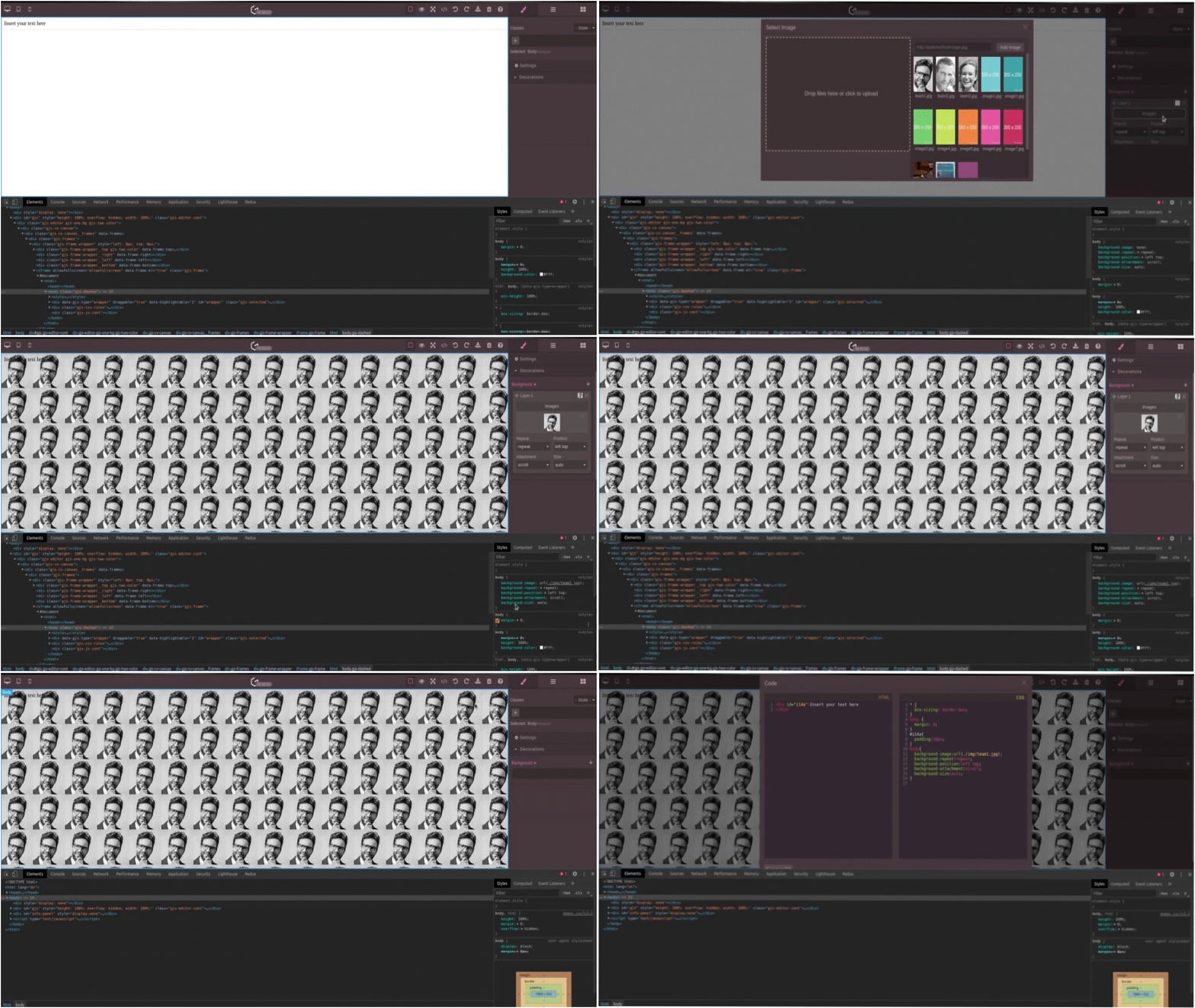
而且这也导致了我项目中类似这个问题——https://github.com/artf/grapesjs/issues/2231
回答(3)
这似乎解决了问题:
const wrapper = editor.getWrapper();
wrapper.set('attributes', { id: 'grapes-iframe-body');
有什么理由不这么做@artf?
嘿,这个问题还在持续。 加到身体层(包装器)里的类和CSS每次重启都会被清除。 看起来ID是随机生成的,这就是CSS失效的原因,但不确定为什么该类会被清除。
我也遇到同样的问题。Grapesjs团队建议有什么解决办法吗?同时,这个问题有修复的时间表吗?
相关问答
通过相似的问题讨论继续研究。
问题 #3579
在放置“activeOnRender”组件后立即打开RTE时丢失了
版本: 0.17.4 你能重现演示中的bug吗?[x] 是的[ ] 不 繁殖步骤:前往[演示](https://grapesjs.com/demo.html)在画布内放置一个“文本”方块点击刚刚丢弃的“文本”组件打开的RTE丢失了位置(参见[附图](https://user-i...
问题 #3564
Unable to refresh the iframe
0.17.19 你能重现演示中的bug吗? 是的 预期的行为是什么? 我之前问过一个关于iframe刷新(#3413)的问题。[提案的解决方案](https://github.com/artf/grapesjs/issues/3413#issuecomment-83189223...
问题 #3700
Setting draggable: 'wrapper' does not drop in wrapper
警告 请阅读并遵循接下来的三步,然后在发布问题前删除它们遵守贡献指南 https://github.com/artf/grapesjs/blob/master/CONTRIBUTING.md先快速搜索一下,看看有没有人没开同样的问题所有相关陈述/问题都必须填写/回答,否则问题可...
问题 #2873
:某些表单组件与预设网页插件不兼容
你好,我注意到一些表单组件(比如复选框、无线电和选择)在用预设网页插件初始化 gjs 时无法工作,比如下面的示例: 你也可以通过在线网页演示确认这个问题 [https://grapesjs.com/demo.html](网址) 预期行为: 可以正常选择所有这些(仅限预览模式)...
与此问题匹配的付费插件
根据问题关键词和标签相关性精选,助你更快交付。
正在加载付费插件推荐……
浏览插件分类
直接跳转到市场上的插件分类页面。