防止在移除文本组件时自动调整表格单元大小
问题
我有一个表,比如说1行3个单元格。当我在某个单元格内拖放文本组件时,该单元格会放大并占据整个表格的宽度。我怎样才能防止这种情况发生,让文本组件占据单元格的宽度? 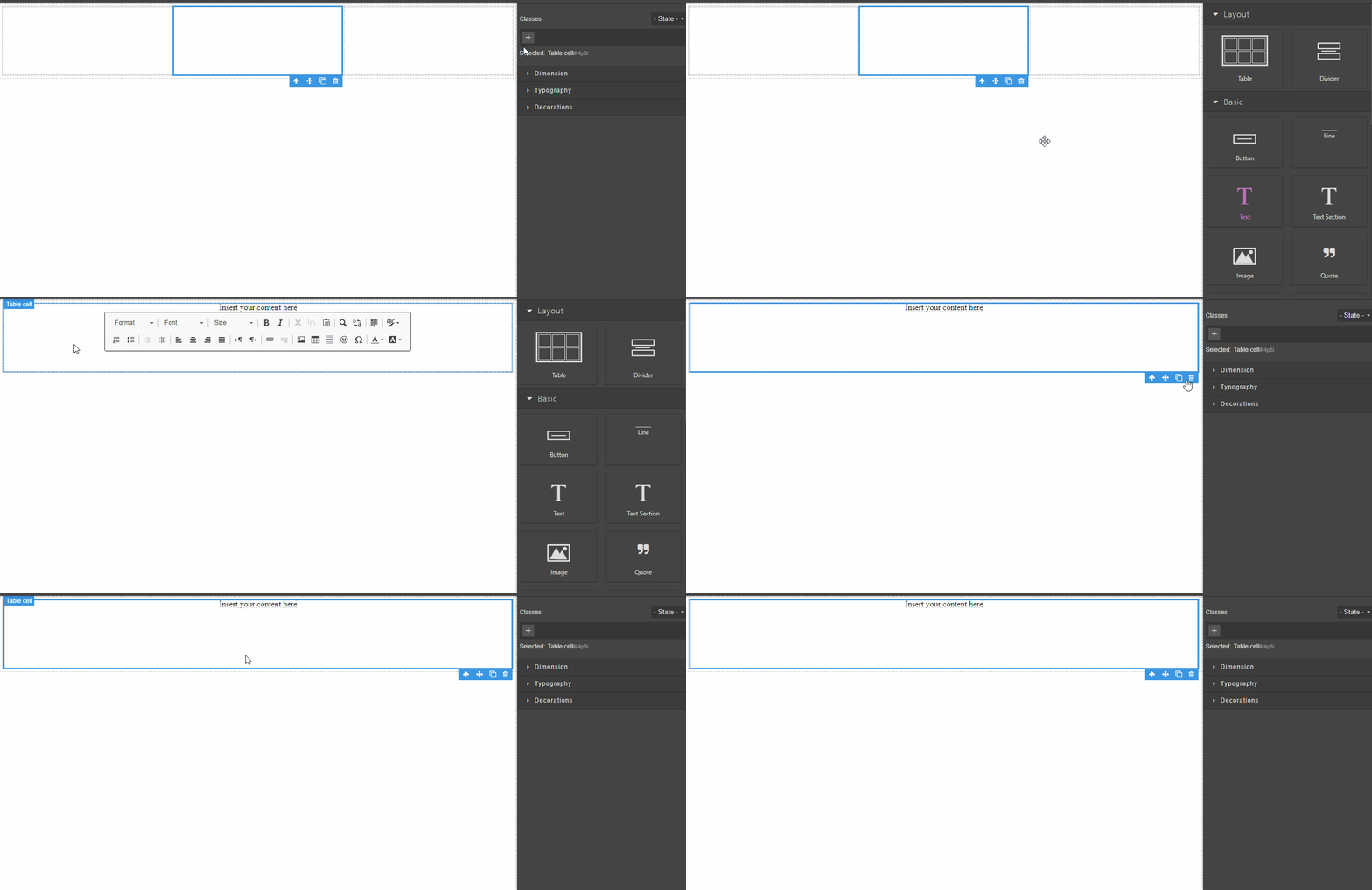
回答(1)
这就是<table>“''的工作原理,你应该指定单元格的固定宽度以避免它
相关问答
通过相似的问题讨论继续研究。
问题 #4559
RTE actions are not working after the first time
嗨..!,RTE操作第一次后就不起作用了,当我们尝试对之前应用的元素应用该动作时,它无法正常工作 从版本0.18.3到最新版本都会出现这个问题,以下版本运行正常 复制链接 工作版本: https://jsfiddle.net/76gnxh4d/35/ 无法正常工作的版本: ht...
问题 #4506
Error on drag block with dragmode: absolute
GrapesJS 版本 [X] 我确认使用最新版本 GrapesJS 你用的是什么浏览器? Chrome v103 可复制演示链接 https://stackblitz.com/edit/js-1xpo7b 描述一下那个虫子 如何复现这个漏洞?使用dragMode:绝对(设计师...
问题 #4138
Unexpected behavior in style manager
GrapesJS 版本[X] 我确认使用最新版本 GrapesJS你用的是什么浏览器? 版本 1.35.101 Chromium:98.0.4758.87(官方版本)(64位) (64位) 可复制演示链接 https://codesandbox.io/s/strange-sun-qgdc...
与此问题匹配的付费插件
根据问题关键词和标签相关性精选,助你更快交付。
正在加载付费插件推荐……
浏览插件分类
直接跳转到市场上的插件分类页面。