在选中文本后,组件取消选中两次后文本会消失
问题
繁殖步骤:
- 选择组件中的所有文本
- 移动组件
- 再次选择所有文本
- 再次移动组件
- 取消选择组件
预期结果: 文本仍在
实际结果: 文字消失
可在网页演示中重现,版本为0.15.9。
请参见附上的屏幕播放: 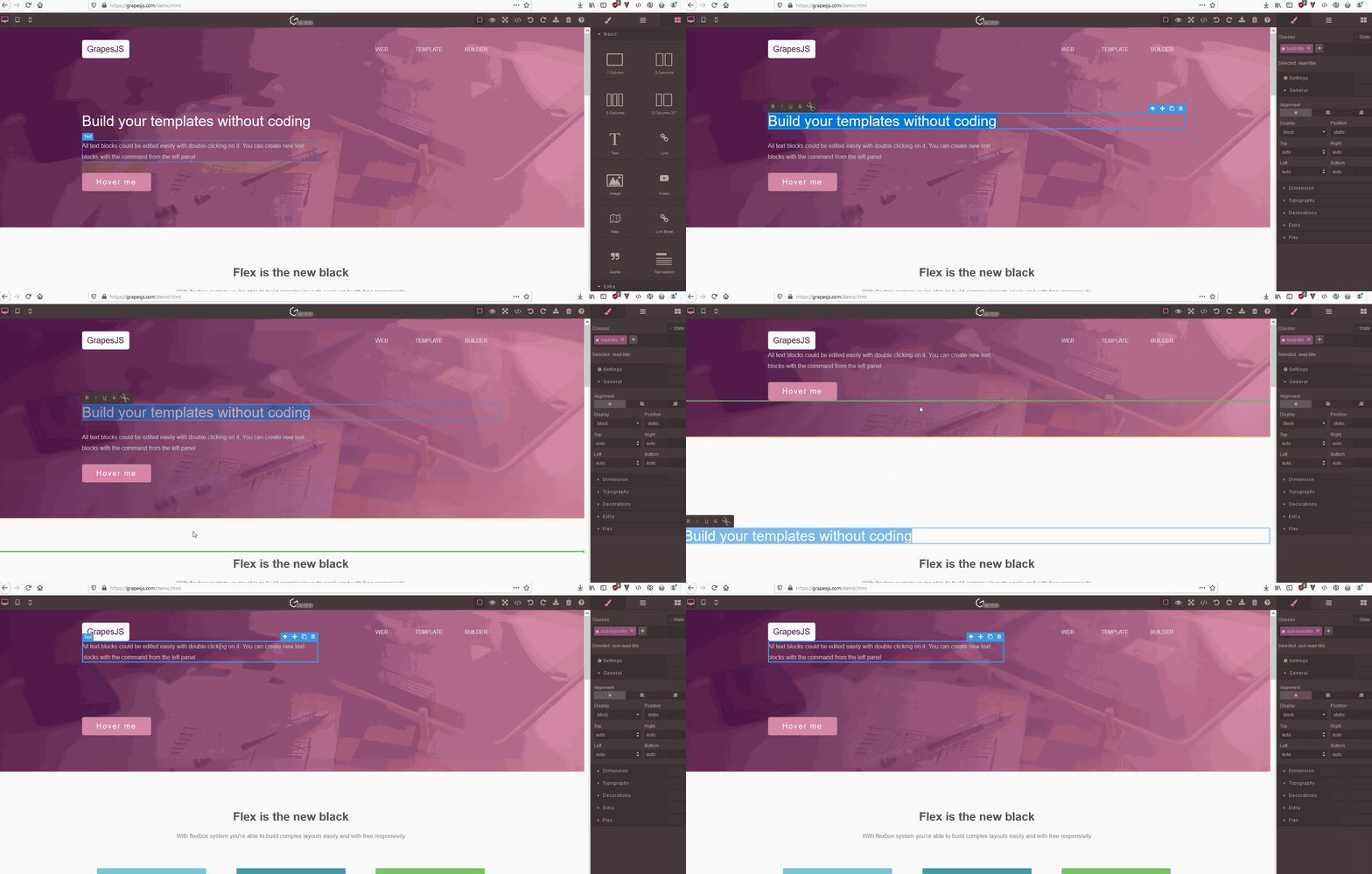
回答(1)
说得好,谢谢
相关问答
通过相似的问题讨论继续研究。
问题 #4506
Error on drag block with dragmode: absolute
GrapesJS 版本 [X] 我确认使用最新版本 GrapesJS 你用的是什么浏览器? Chrome v103 可复制演示链接 https://stackblitz.com/edit/js-1xpo7b 描述一下那个虫子 如何复现这个漏洞?使用dragMode:绝对(设计师...
问题 #4138
Unexpected behavior in style manager
GrapesJS 版本[X] 我确认使用最新版本 GrapesJS你用的是什么浏览器? 版本 1.35.101 Chromium:98.0.4758.87(官方版本)(64位) (64位) 可复制演示链接 https://codesandbox.io/s/strange-sun-qgdc...
问题 #3126
Video throwing error
点击上传按钮时侧面预览正常,但点击那个视频预览时会报错,其他图片都无法正常工作,我需要在Canvas中显示视频,比如显示类似主体的图片 ![动图](https://user-images.githubusercontent.com/12613564/98598005-a24ca...
与此问题匹配的付费插件
根据问题关键词和标签相关性精选,助你更快交付。
正在加载付费插件推荐……
相关教程
关于同一主题的深入指南。
教程
Introducing Search on GJS.Market
GJS.Market now has one search across everything we publish — plugins, articles, community questions, guides, authors and services. Press ⌘K from any page.
教程
2026年构建一个SaaS页面构建器需要多少钱?
2026年构建一个SaaS页面构建器的成本是多少?探索实际的开发成本、时间表、功能,以及使用 GrapesJS 如何降低成本
教程
PageKit:你无论如何都得自己开发 GrapesJS 应用
一个围绕开源GrapesJS核心的源代码可用Next.js应用——发布、自定义域名、潜在客户、结账和插件加载器。
浏览插件分类
直接跳转到市场上的插件分类页面。