如何移除不必要的组件?
如果你想禁用解析器中的该组件,可以这样做: “''js 编辑。DomComponents.addType('link', { isComponent: () => false, }) ```
阅读下方完整回答 ↓问题
@artf我用的是CKEditor,但它的链接插件无法支持“链接”块。当 grapesjs 的新闻通讯正在渲染时,我怎样才能避免创建“Link”组件?或者阻止选择职业的链接包覆。 添加链接时: 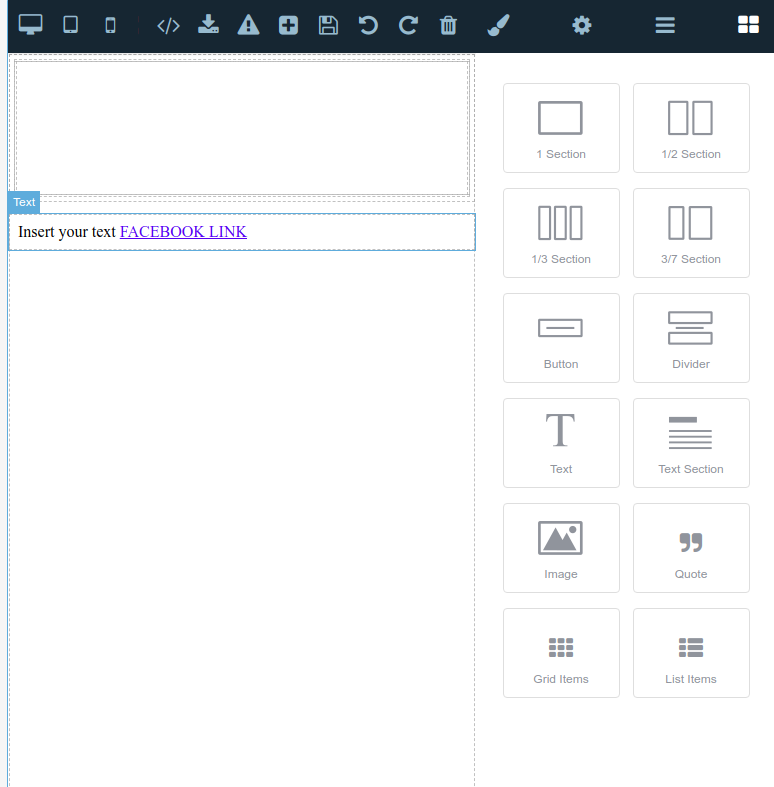
导入上述模板代码后: 
回答(3)
如果你想禁用解析器中的该组件,可以这样做: “''js 编辑。DomComponents.addType('link', { isComponent: () => false, })
@artf不,如果我这样做,链接就会变成文本。我希望 grape js不要用任何块包裹它
我希望 grape js 不要用任何块包裹它
你说的是哪个街区?
相关问答
通过相似的问题讨论继续研究。
问题 #3652
如果我把文本改成链接, Grapes 就不识别链接。
你好@artf  我刚接触 Grapes JavaScript...
问题 #1296
自定义富文本编辑器无法工作
你好@artf,我刚用不同的库(比如CKEditor 5、TinyMCE 4或pell)创建了一个RTE的自定义插件,但结果都是编辑器失去焦点,导致按钮无法应用到文本内容上。 ![截图 2018-07-18,17 06 53](https://user-images.githu...
问题 #1408
为什么文本元素被转换成了框?
你好@artf, 我正在使用 grapesjs 的通讯插件和 ckeditor 插件。我在Canvas里拖拽了TEXT元素,用ckeditor做了一些编辑。我已经把它连接到了数据库。每次我把内容保存到数据库,重新安装编辑器后,我会从数据库字段设置内容值,然后把TEXT元素转换成...
问题 #3250
Layer labels
@artf我很喜欢和GJS合作。我还有最后一件事希望你能帮忙。 如果能在图层管理器中自定义标签会非常有帮助。我到处找过,但都没找到。 默认显示“文本”和“框”的方式,对于想要高效导航来说帮助不大。 <img width=“204” alt=“截图 2021-01-28 07 2...
与此问题匹配的付费插件
根据问题关键词和标签相关性精选,助你更快交付。
正在加载付费插件推荐……
浏览插件分类
直接跳转到市场上的插件分类页面。