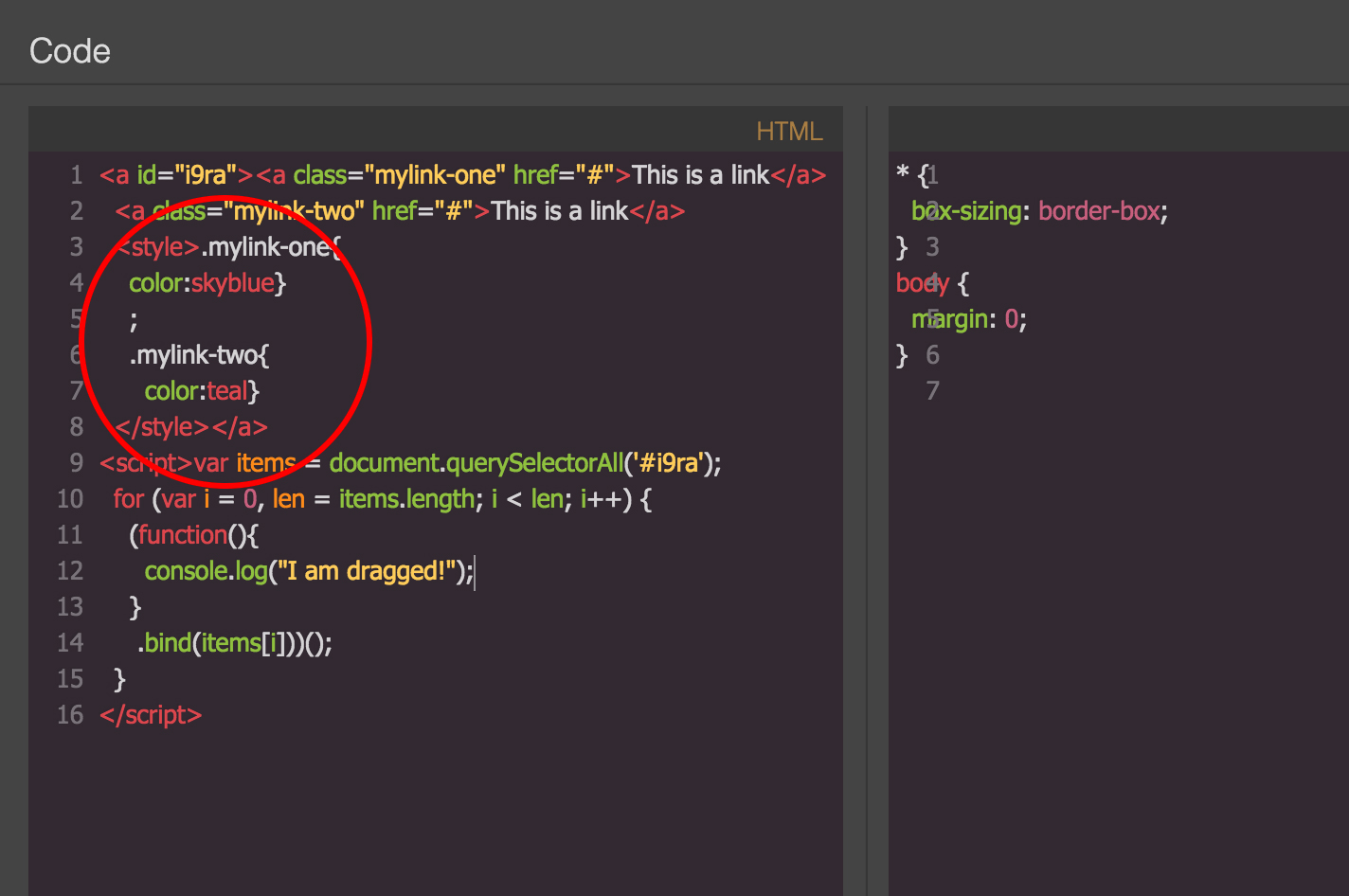
Add <Style> tag in block content objects (not a string)
BTW, I think, for your case, a custom component is more appropriate
Read full answer below ↓Question
- Browser = Chrome
- GrapesJS = Latest version ( 0.14.52 )
I am trying to create a block includes nesting content object with script, style, type properties. It works fine except adding <style> tag in the content.
Issue
If I create block content as a String like option (A) as below, CSS goes to CSS editor. But if I create block content as an object like option (B), CSS remains in HTML editor. ( I am not sure this is a bug or not )
Here, What I want to achieve is I want to create block like option (B), but expect CSS to be in CSS editor.
option (A)
blocks: [
{
id: 'link',
label: 'Link',
category: 'Basic',
attributes: {
class: 'fa fa-link'
},
content: `<a class="mylink-one" href="#">This is a link</a>
<a class="mylink-two" href="#">This is a link</a>
<style>.mylink-one{color:red;}.mylink-two{color:skyblue;}</style>`,
}
]
option (B)
blocks: [
{
id: 'link',
label: 'Link',
category: 'Basic',
attributes: {
class: 'fa fa-link'
},
content: {
script: function(){
console.log("I am dragged!")
},
type: 'link',
content: `<a class="mylink-one" href="#">This is a link</a>
<a class="mylink-two" href="#">This is a link</a>
<style>.mylink-one{color:skyblue};.mylink-two{color:teal}</style>`,
}
}
]
Why do I want this? Because I have an inline CSS and custom javascript codes to append with the block (when user drag into the canvas).
English is not my mother tongue; please excuse my bad explanation.
Answers (2)
content: {
script: function(){
console.log("I am dragged!")
},
components: `...`, // use components instead of content
}
BTW, I think, for your case, a custom component is more appropriate
This thread has been automatically locked since there has not been any recent activity after it was closed. Please open a new issue for related bugs.
Related Questions and Answers
Continue research with similar issue discussions.
Issue #1611
Script tag create JSON error
Hi. I'm creating blocks in Grapesjs and I need to use JS on them for hover effect and more.. Everything works fine for the creation, store,...
Issue #1733
How to remove script tag which is added by add block manager script
Hello @artf I want to export final/production based html content excluding the script(Only which is added by block manager). Suppose i am a...
Issue #525
local2 example for storage not working
Using code provided in docs. https://github.com/artf/grapesjs/wiki/API-Storage-Manager in "add" examples. I am trying to create my own stor...
Issue #1584
Not getting the Script of Block from editor.getComponents()
Below is the Component that I'm adding. this.editor.BlockManager.add('dob-mmyy-pii', { id: 'dob-mmyy', label: DOB (MM, YYYY) (PII), categor...
Paid Plugins That Match This Issue
Curated by issue keywords and label relevance to help you ship faster.
Loading paid plugin recommendations...
Check the open-source GrapesJS plugins on GitHub or run a quick search in our free catalog.
Browse free plugins →Premium plugins ship with support, regular updates, and production-ready features — save days of integration work.
Browse premium plugins →Related tutorials
In-depth guides on the same topic.
Browse Plugin Categories
Jump directly to plugin category pages on the marketplace.