悬停工具栏
@sakshigarg9, “''js 编辑。Commands.extend('select-comp', { onHovered(em, component) { const trg = component && component.getEl(); 如果 (trg) { const pos = this.getElementPos(trg); this.updateBadge(trg, pos); this.updateToolbar(component);显示工具栏 this.updateHighlighter(trg, pos); this.showElementOffset(trg, pos); } }, }); ```
阅读下方完整回答 ↓问题
@artf我们如何在悬停时显示工具栏。目前,当我们选择任何元素时,工具栏是打开的,但我想在悬停时显示它。任何帮助都将不胜感激。 
回答(3)
@sakshigarg9, “''js 编辑。Commands.extend('select-comp', { onHovered(em, component) { const trg = component && component.getEl(); 如果 (trg) { const pos = this.getElementPos(trg); this.updateBadge(trg, pos); this.updateToolbar(component);显示工具栏 this.updateHighlighter(trg, pos); this.showElementOffset(trg...
我唯一能帮到你的方法是让你检查这个命令 https://github.com/artf/grapesjs/blob/dev/src/commands/view/SelectComponent.js(命令ID:'select-comp'),它负责显示工具栏。所以你可以尝试用 [Commands API](https://grapesjs.com/docs/api/commands.html) 来扩展它
@YashPrince 你好,你解决这个问题了吗?我需要类似的实现
相关问答
通过相似的问题讨论继续研究。
问题 #1410
拖拽占位符高亮位置
@artf 当我们从顶部设置到容器的边距,并想拖动某个元素时 拖拽占位符的高亮位置似乎不对,因为它也包含了边距,而且显示在顶部 即从哪里给出边距的元素。我怎样才能只在容器内显示拖曳占位标记,而不是外部,这样用户会少一些困惑?任何帮助都将不胜感激。  这样的颜色粘贴到边框颜色里,然后在编辑器里选择其他元素而不更改属性并重新按键,边框颜色就会变为 rgb(255),如果边框属性发生变化,CSS 就会失效。请检查并修复这个问题。如果有快速修复方法,请提供。...
问题 #1534
更新属性 从模型样式输入值。
@artf我想更新元素的高度,并希望通过以下代码提供自定义高度 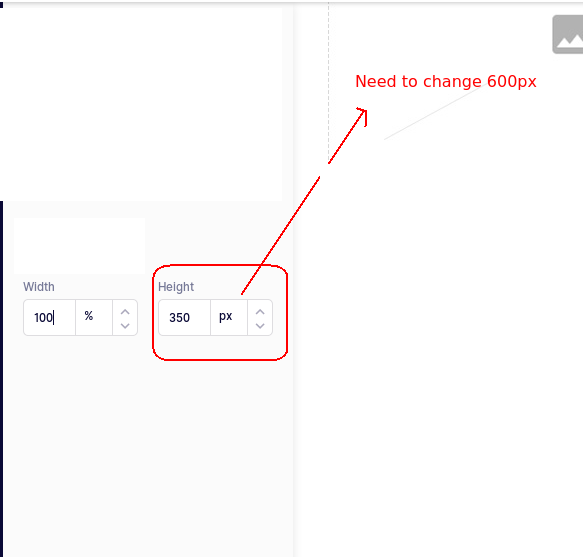...
与此问题匹配的付费插件
根据问题关键词和标签相关性精选,助你更快交付。
正在加载付费插件推荐……
浏览插件分类
直接跳转到市场上的插件分类页面。