Issue #1432💬 AnsweredOpened September 17, 2018by JulyanoF2 reactions

Custom DomComponent & Block let all elements duplicated

快速解答by artf1

@JulyanoF you should never do this editor.DomComponents.render() if you feel like you need that function, probably you're doing something wrong... then in your custom component, you don't set isComponent method, so please review this guide: https://grapesjs.com/docs/modules/Components.html for the rest, provide a live...

Read full answer below ↓

Question

I created a Custom Block:

bm.add('imagemLink', {
    label: 'Imagem Link',
    content: {
        activeOnRender: 1,
        droppable: false,
        type: 'imagemLink',
        content: '<a title="" link=""><img src="img/model.png"></img></a>'
    }
});

and a Custom DomComponent:

domComps.addType('imagemLink', {
  // Define the Model
  model: defaultType.model.extend({
        defaults: {
            tagName: "div",
            type: "",
            name: "",
            removable: !0,
            draggable: !0,
            droppable: !0,
            badgable: !0,
            stylable: !0,
            "stylable-require": "",
            unstylable: "",
            highlightable: !0,
            copyable: 0,
            resizable: !1,
            editable: !0,
            layerable: !0,
            selectable: !0,
            hoverable: !0,
            void: !1,
            state: "",
            status: "",
            content: "",
            icon: "",
            style: "",
            attributes: "",
            classes: "",
            script: "",
            traits: ["id", "title"],
            propagate: "",
            toolbar: null
        },
  }),
  view: defaultType.view.extend({
            events: {
            'click': function(){
                var openSmBtn = editor.Panels.getButton('views', 'optionsBlock');
                openSmBtn.set('active', 1);
            },
            'dblclick': function(){
                editor.select(this.model);
                selecionado = this.model;
                editor.runCommand("open-assets", {
                    onSelect: function (t) {
                        var newSrc = t.attributes.src;
                        conteudoImagemLink = $(editor.getSelected().toHTML());
                        var elConteudoImagem = $($(conteudoImagemLink[0]).children('a')).children('img');
                        $(elConteudoImagem)[0].src = newSrc;
                        editor.getSelected().set('content', conteudoImagemLink[0].innerHTML);
                        editor.DomComponents.render();
                        editor.select(null);
                        selecionado = null;
                        editor.Modal.close(), editor.AssetManager.setTarget(null);
                    }
                });
            },
            'mouseenter': function(){
                if(!selecionado){
                    editor.select(this.model);
                    var openSmBtn = editor.Panels.getButton('views', 'open-blocks');
                    openSmBtn.set('active', 1);
                }
            },
            'mouseleave': function(){
                if(!selecionado){
                    editor.select(null);
                    var openSmBtn = editor.Panels.getButton('views', 'open-blocks');
                    openSmBtn.set('active', 1);
                }else{
                    editor.select(selecionado)
                }
            }
        },
    })
});

And a Custom Command (I found where error is happening):

editor.Commands.add('opcoesBloco', {
    run: function(editor, sender){
        const bm = editor.BlockManager;
        const pn = editor.Panels;
        var selectedBlock = editor.getSelected();
        const id = 'views-container';
        const mkeditorCustom = document.createElement('div');
        const panels = pn.getPanel(id) || pn.addPanel({ id });
        if(selectedBlock){
            if(blocoSelecionado.attributes.type == "imagemLink"){
                const divTotal = document.createElement('div');
                divTotal.className = 'col-md-12';
                const divUm = document.createElement('div');
                divUm.className = 'col-md-4';
                const divDois = document.createElement('div');
                divDois.className = 'col-md-8';
                var elLink = $(blocoSelecionado.attributes.content);
                var elImagem = $(elLink).children('img');
                var nomeArquivo = elImagem[0].src.split('/').slice(-1)[0];
                const arquivo = document.createElement('span');
                arquivo.innerHTML = nomeArquivo;
                arquivo.style = 'display: block; color:#000000';
                const tamanho = document.createElement('span');
                tamanho.style = 'display: block; color: #000000; font-size: 11px';
                const imagem = document.createElement('img');
                imagem.src = elImagem[0].src;
                imagem.style = 'max-width: 100%';
                tamanho.innerHTML = imagem.naturalWidth + ' x ' + imagem.naturalHeight;
                const botao = document.createElement('a');
                botao.style = "margin-top:10px; color: #848080; cursor: pointer;text-decoration: underline; font-size: 15px;";
                botao.innerHTML = "Change Image";
                conteudoImagemLink = $(blocoSelecionado.toHTML());
                botao.onclick = function(){
                    editor.runCommand("open-assets", {
                        onSelect: function (t) {
                            var newSrc = t.attributes.src;
                            $($(divUm).children('img')[0])[0].src = newSrc;
                            var nomeNovaImagem = newSrc.split('/').slice(-1)[0];
                            $(divDois).children('span')[0].innerHTML = nomeNovaImagem;
                            var elConteudoImagem = $($(conteudoImagemLink[0]).children('a')).children('img');
                            $(elConteudoImagem)[0].src = newSrc;
******************************** ERROR HERE ********************************
                            blocoSelecionado.set('content', conteudoImagemLink[0].innerHTML);
                            editor.DomComponents.render();
                            editor.Modal.close(), editor.AssetManager.setTarget(null)
                        }
                    });
                };
                mkeditorCustom.style = "margin-top: 30px; text-align: left; padding-left: 20px";
                divUm.appendChild(imagem);
                divDois.appendChild(arquivo);
                divDois.appendChild(tamanho);
                divDois.appendChild(botao);
                mkeditorCustom.appendChild(divUm);
                mkeditorCustom.appendChild(divDois);
                panels.set('appendContent', mkeditorCustom).trigger('change:appendContent');
                this.mkeditorCustom = mkeditorCustom;
            }else{
                mkeditorCustom.append(editor.TraitManager.getTraitsViewer().el);
                panels.set('appendContent', mkeditorCustom).trigger('change:appendContent');
                this.mkeditorCustom = mkeditorCustom;
            }
        }
        this.mkeditorCustom.style.display = 'block';
    },
    stop: function(editor, sender){
        if(tinymce.editors.length > 0) tinymce.remove("#ckeditor");
        const mkeditorCustom = this.mkeditorCustom;
        mkeditorCustom && (mkeditorCustom.style.display = 'none');

    }
});

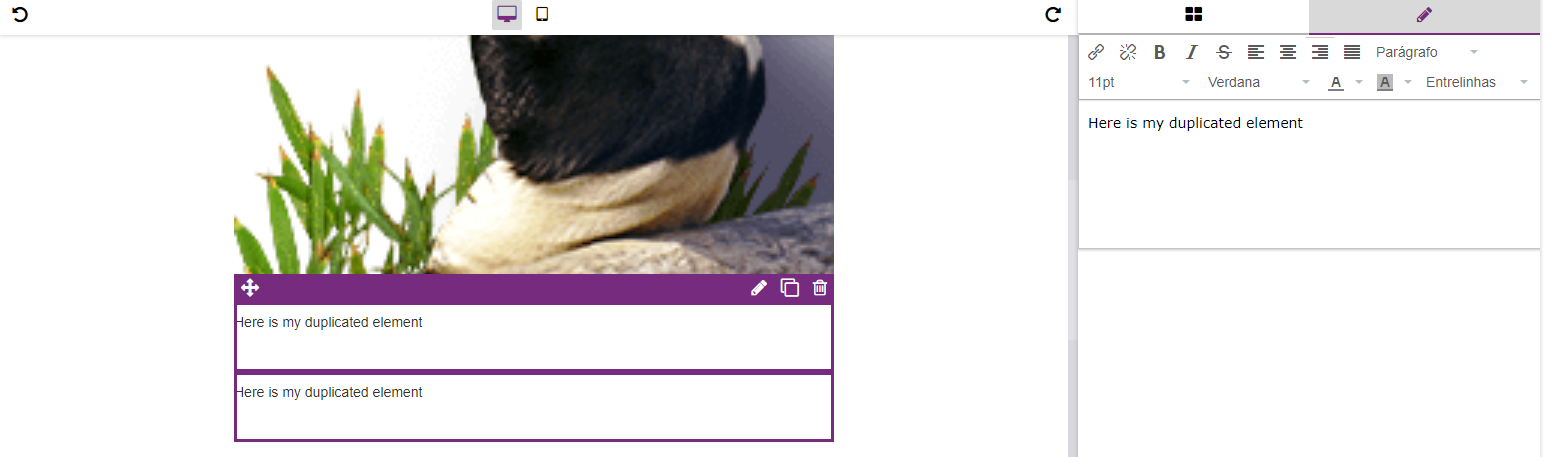
When I set the new link for child img, any block I add to editor, is adding twice, and when I select this duplicated block, both are selected and changed: image

Answers (3)

artfSeptember 17, 2018

@JulyanoF you should never do this editor.DomComponents.render() if you feel like you need that function, probably you're doing something wrong... then in your custom component, you don't set isComponent method, so please review this guide: https://grapesjs.com/docs/modules/Components.html for the rest, provide a live demo with the issue

artfSeptember 20, 2018

I'm trying getting html of selected element (editor.getSelected().toHTML()), manipulating it and changing original content

This is wrong... You should use Component's API, don't touch the view or even worse, its HTML. If you don't understand this concept (you should EDIT the MODEL of the component, not its VIEW) you will face a lot of issues

JulyanoFSeptember 17, 2018

@artf you are right. the problem is using render() function, that is duplicating the elements.. but, if I remove this function, the editor html didn't change.. it still showing old content and not the new. How can I avoid it? I will provide a live demo

Related Questions and Answers

Continue research with similar issue discussions.

Paid Plugins That Match This Issue

Curated by issue keywords and label relevance to help you ship faster.

View all plugins

Loading paid plugin recommendations...

Free option

Check the open-source GrapesJS plugins on GitHub or run a quick search in our free catalog.

Browse free plugins →
Premium option

Premium plugins ship with support, regular updates, and production-ready features — save days of integration work.

Browse premium plugins →

Related tutorials

In-depth guides on the same topic.

All tutorials →

Browse Plugin Categories

Jump directly to plugin category pages on the marketplace.