设置背景图像会导致重复样式规则
你好,我也有同样的问题。 预览 https://jsfiddle.net/szLp8h4n/77/ 当我在预览中更改盒子的背景时,它会变,但在代码里会生成另一个ID。如果你以这种方式保存模板并尝试在页面上显示,背景不会改变。
阅读下方完整回答 ↓问题
你好,@artf,
我有一个奇怪的小问题。 我有一个自定义特质,里面有设置图片和背景图片的实现。 当我用下面的代码第二次设置背景图像时,元素ID上出现了重复的样式规则。
“''js var style = self.target.getStyle(); 样式是空的,尽管样式管理器显示的是类样式规则中的默认背景图像 style['background-image'] ='url(“' + newUrl + '”)'; self.target.setStyle(style);
我已经稍微尝试过 forceClass 和 avoidInlineStyle,但对这个问题帮助不大。
可能和这个问题有关:这个元素也有一个带有默认背景图像的类。打开StyleManager时,我只看到那个背景图片。不是ID风格规则里的图片。看起来它根本没怎么用到它们?

提前感谢大家!
回答(3)
你好,我也有同样的问题。 预览 https://jsfiddle.net/szLp8h4n/77/ 当我在预览中更改盒子的背景时,它会变,但在代码里会生成另一个ID。如果你以这种方式保存模板并尝试在页面上显示,背景不会改变。
谢谢你的例子@samuelmattos目前我唯一能给你的解决办法就是开始用这个选项: “''js Grapesjs.init({ 通常当你更新组件的“样式”时,这会改变 元素的“样式”属性。遗憾的是,内联造型不允许 使用媒体查询(@media)甚至伪选择器(例如 :hover)。 当“avoidInlineStyle”为真时,所有样式都插入在CSS规则中 avoidInlineStyle: true, }) ``` 可能下次某个版本我会默认设为“true”。遗憾的是,这并不能解决重复规则的bug,但至少规则会被放置,确保规则被覆盖。我已经开始调查这个bug了
首先,我建议使用 'self.target.addStyle({'background-image': 'url(...)'})“针对你的情况,内容不那么冗长。
可能和这个问题有关:这个元素也有一个带有默认背景图像的类。打开StyleManager时,我只看到那个背景图片。不是ID风格规则里的图片。看起来它根本没怎么用到它们?
如果样式管理器在所选组件上识别了该类,你就能获得它的样式,试着通过复选框取消选中该类。
相关问答
通过相似的问题讨论继续研究。
问题 #933
设置 backgroud 图像会导致重复样式规则
你好,@artf, 我有一个奇怪的小问题。 我有一个自定义特质,里面有设置图片和背景图片的实现。 当我用下面的代码第二次设置背景图像时,元素ID上出现了重复的样式规则。 “''js var style = self.target.getStyle(); 样式是空的,尽管样式管理...
问题 #1534
更新属性 从模型样式输入值。
@artf我想更新元素的高度,并希望通过以下代码提供自定义高度 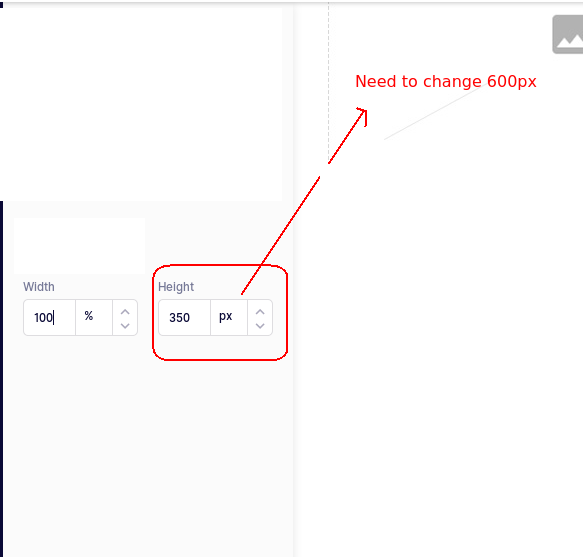...
问题 #1457
:风格管理器中的自定义资产管理器背景图片
你好, 我想使用自定义资产管理器 我习惯了这个解决方案, ` var 资产目标 =''; 编辑。Commands.add('open-assets', { run(editor, sender, opts = {}) { const modal = 编辑器。模态; const...
问题 #612
紧急:使用自定义资产管理器时重复其他块
你好, 我们用自定义的 Assset 管理器进行了修改。但我们现在遇到了问题。如果我们把一张图片放进Canvase,然后添加其他组件,它会复制那个组件。如果我们再加一张图片,那它就会三重组其他分量。 你能帮帮我们吗? 以下是我们用来打开自定义资产管理工具的代码片段。 编辑。Co...
与此问题匹配的付费插件
根据问题关键词和标签相关性精选,助你更快交付。
正在加载付费插件推荐……
相关教程
关于同一主题的深入指南。
浏览插件分类
直接跳转到市场上的插件分类页面。