更改并获得 editor.getSelected() 块的值
获取内容: 'editor.getSelected().get('content')''” 设置内容: 'editor.getSelected().set('content', 'myhtml')'
阅读下方完整回答 ↓问题
我该如何更改并获取当前选定区块的内容?
回答(3)
获取内容: 'editor.getSelected().get('content')''” 设置内容: 'editor.getSelected().set('content', 'myhtml')'
@JulyanoF要注意,'content' 是静态字符串(主要用于自定义 RTE),所以通过 'editor.getSelected().set('content', <div>'TEXT1</div>...')' 来编辑内部元素。 “''js const selected = editor.getSelected(); 获取组件的JSON。 JSON.stringify(selected.toJSON()) 获取它的HTML selected.toHTML(); 设置新组件 select.components('<div>Text1</div><div>Text2</div>') ```
selected.components()
@artf我不想在选中的方块中创建一个新组件。我只需要编辑内容。用这个方法时,它会在上一个块里创建新的div。我该如何避免这种情况?
相关问答
通过相似的问题讨论继续研究。
问题 #771
图片原始文件没有更新
你好,@artf, 我用以下代码更新了图片原件: editor.getSelected().set('attributes', {'src': image_Url}); 但当我用下面的代码设置所有 HTML 时: editor.setComponents(templateHTM...
问题 #710
让整个元素都能拖动,而不仅仅是手柄
我正在修改手柄,除了有手柄外,我还希望整个元素都能拖拽。看代码,我猜我只需要在select时给可拖拽的元素附加'tlb-move'命令。 上述代码在选择状态下,将选中的组件写入控制台。从这里开始,我认为需要添加一个用于拖拽的事件监听器,但我尝试用 '.on()' 附加监听器都失...
问题 #1534
更新属性 从模型样式输入值。
@artf我想更新元素的高度,并希望通过以下代码提供自定义高度 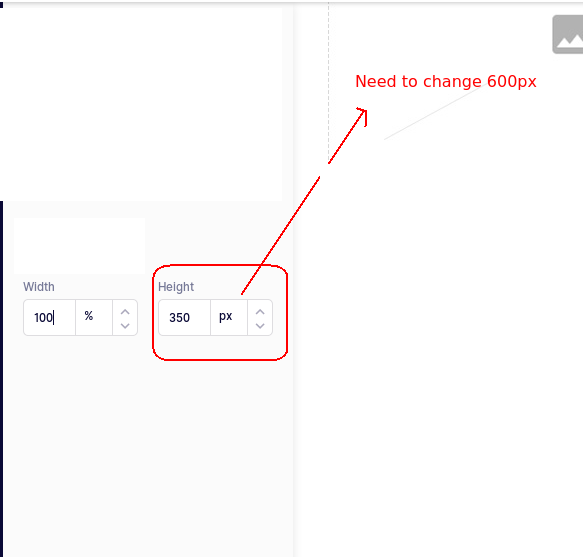...
问题 #482
自定义组件中的默认资产管理器
我正在为下面的模板创建自定义组件,我们希望用户输入文本、链接、悬停文本并选择图片,想用默认资产管理器选择图片,但不确定如何在自定义组件中获得选中的图片?以下是我使用的代码 view: defaultType.view.extend({ init() { this.listenT...
与此问题匹配的付费插件
根据问题关键词和标签相关性精选,助你更快交付。
正在加载付费插件推荐……
相关教程
关于同一主题的深入指南。
浏览插件分类
直接跳转到市场上的插件分类页面。