Issue #699💬 AnsweredOpened January 2, 2018by crazyxhz0 reactions

Toolbar and hight light not adjust to window resize

快速解答by artf

@crazyxhz are you sure you're using the latest version? (can't reproduce it with the current version)

Read full answer below ↓

Question

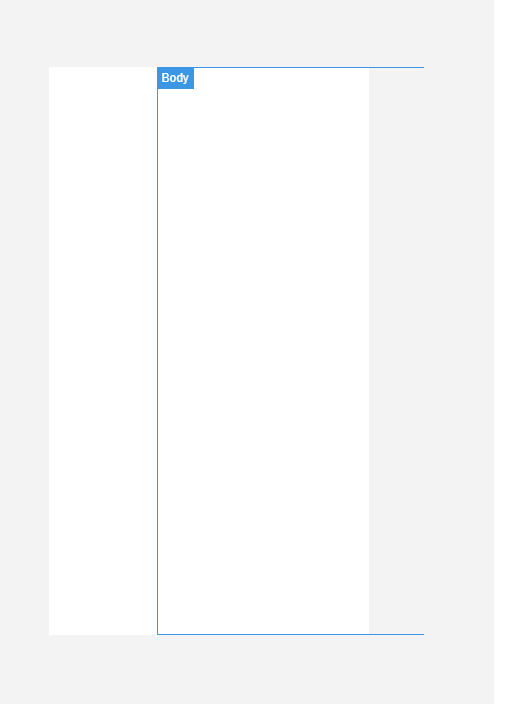
If you resize the winow after grapesjs instance has been initialized. The hight light frame will be shifted: image

Answers (3)

artfJanuary 4, 2018

@crazyxhz are you sure you're using the latest version? (can't reproduce it with the current version)

crazyxhzJanuary 4, 2018

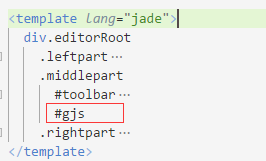
@artf I'm using this layout: image left part and right part is fixed width while the middle part in which grapesjs is rendered is taking the rest of the space. Maybe it has something to do with this layout.

  .leftpart
    float left
    width 310px

  .middlepart
    float left
    width calc(100vw - 670px)
    min-width 300px

  .rightpart
    float right
    width 300px
artfJanuary 5, 2018

Not sure, but, again, are you using the latest version?

Related Questions and Answers

Continue research with similar issue discussions.

Paid Plugins That Match This Issue

Curated by issue keywords and label relevance to help you ship faster.

View all plugins

Loading paid plugin recommendations...

Free option

Check the open-source GrapesJS plugins on GitHub or run a quick search in our free catalog.

Browse free plugins →
Premium option

Premium plugins ship with support, regular updates, and production-ready features — save days of integration work.

Browse premium plugins →

Related tutorials

In-depth guides on the same topic.

All tutorials →

Browse Plugin Categories

Jump directly to plugin category pages on the marketplace.