Webpage Demo displaying incorrectly on Firefox
是的,谢谢@Akira-Kuru在这里解决了这个问题 https://github.com/artf/grapesjs-preset-webpage/releases/tag/v1.0.2
阅读下方完整回答 ↓问题
GrapesJS 版本
- 我确认使用最新版本 GrapesJS
你用的是什么浏览器?
Firefox 105.0(64位)
可复制演示链接
https://grapesjs.com/demo.html
描述一下那个虫子
如何复现这个漏洞?
- 在Firefox中打开演示页面(https://grapesjs.com/demo.html)。
预期的行为是什么? 工具栏没有放大到你看不到网站的程度。
目前的行为如何? 工具栏的放大幅度肯定比平时高出300%。
Google Chrome 示例: 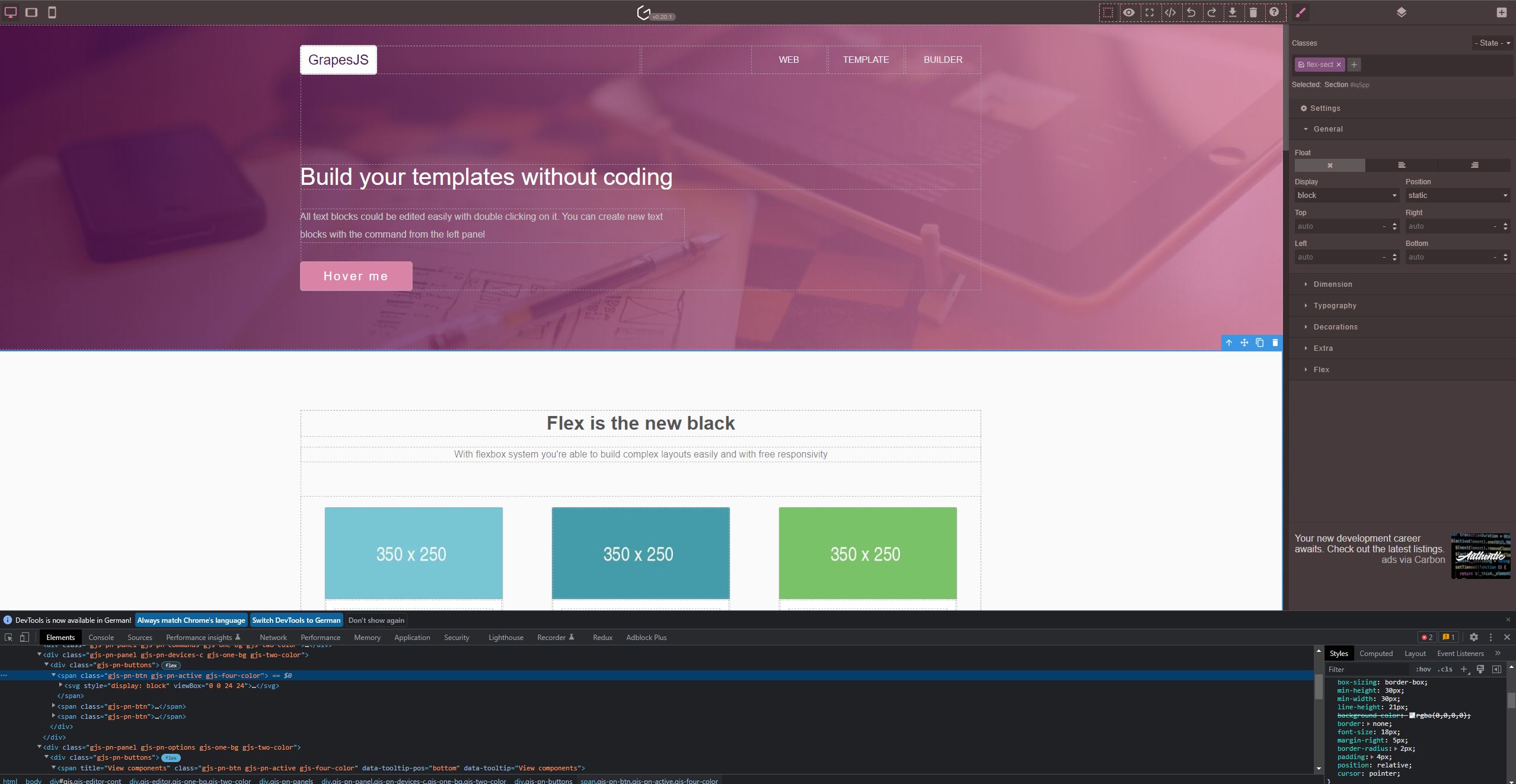
Firefox示例: 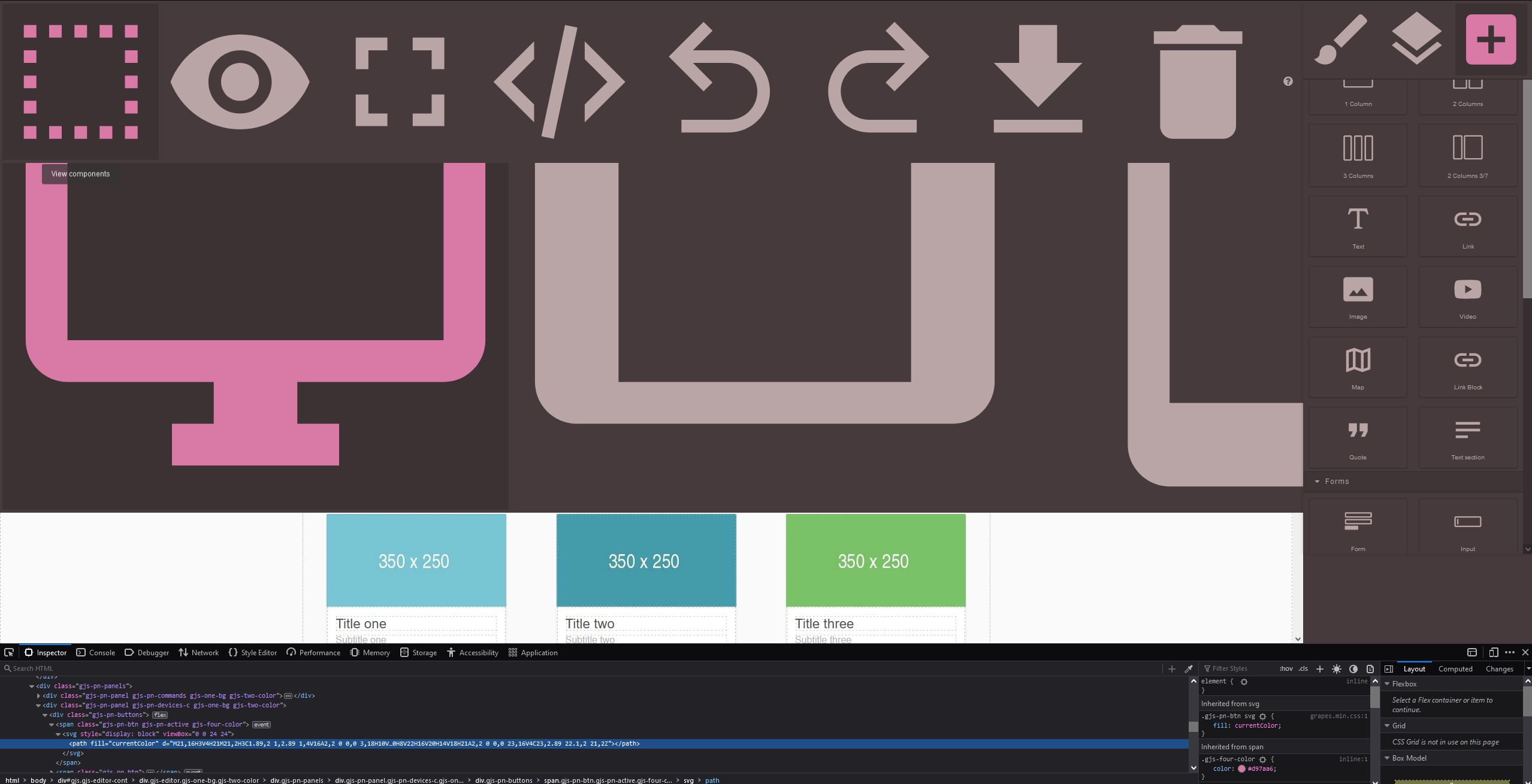
行为准则
- 我同意遵守本项目的行为准则
回答(2)
是的,谢谢@Akira-Kuru在这里解决了这个问题 https://github.com/artf/grapesjs-preset-webpage/releases/tag/v1.0.2
谢谢你举报,@Akira-库鲁。 关于 Firefox 上网页演示错误显示的问题,真是个好问题。GrapesJS 推荐的方法是使用事件驱动 API。 从这里开始: 查看你所在模块的[GrapesJS文档](https://grapesjs.com/docs/) 寻找“on()”事件监听器方法 大多数操作可以通过监听编辑器和组件事件来实现 常见模式: “JavaScript 留意变化 editor.on('change', () => console.log('something changed')); 组件生命周期 editor.on('component:mount', (c) => co...
相关问答
通过相似的问题讨论继续研究。
问题 #4732
Tabs behaviour after HTML import
GrapesJS 版本 [X] 我确认使用最新版本 GrapesJS 你用的是什么浏览器? Chrome 107(MacOS) 可复制演示链接 https://grapesjs.com/demo.html 描述一下那个虫子 如何复现这个漏洞?将标签块拖放到编辑器内容中点击顶部的...
问题 #4383
在编辑grapesjs中任何文本组件时插入两个空白时,会注入“.”字符
GrapesJS 版本 [X] 我确认使用最新版本 GrapesJS 你用的是什么浏览器? 铬 可复制演示链接 https://grapesjs.com/demo.html 描述一下那个虫子 双击任何文本组件 把光标放在单词之间 插入2个空白 预期行为: 插入2个空白 当前行为...
问题 #4336
"Import template" don't work for removing extra styles
GrapesJS 版本 [X] 我确认使用最新版本 GrapesJS 你用的是什么浏览器? 版本 101.0.4951.64 可复制演示链接 https://grapesjs.com/demo.html 描述一下那个虫子 如何复现这个漏洞?添加段落块打开“导入模板”,添加这些行...
问题 #4575
Custom is missing in the AssetManagerConfig
GrapesJS 版本 [X] 我确认使用最新版本 GrapesJS 你用的是什么浏览器? 铬 可复制演示链接 这是一个编译错误 描述一下那个虫子 AssetManagerConfig 中缺少属性自定义。 如果我用非类型化 grapesjs 它能用,但我想用类型。有没有解决这个...
与此问题匹配的付费插件
根据问题关键词和标签相关性精选,助你更快交付。
正在加载付费插件推荐……
相关教程
关于同一主题的深入指南。
教程
Introducing Search on GJS.Market
GJS.Market now has one search across everything we publish — plugins, articles, community questions, guides, authors and services. Press ⌘K from any page.
教程
如何在2026年用 GrapesJS 构建AI驱动的页面构建器
我们构建GJSDocs的经验——从简单的AI文本生成到结构化、上下文感知的视觉编辑
教程
2026年构建一个SaaS页面构建器需要多少钱?
2026年构建一个SaaS页面构建器的成本是多少?探索实际的开发成本、时间表、功能,以及使用 GrapesJS 如何降低成本
浏览插件分类
直接跳转到市场上的插件分类页面。