加载编辑器时,分类以块形式折叠Grapes
试试这个 “''js const 分类 = 编辑器。BlockManager.getCategories(); categories.each(category => { category.set('open', false).on('change:open', opened => { opened.get('open') & categories.each(category => { 类别 !== 打开 && category.set('open', false) }) }) }) ```
阅读下方完整回答 ↓问题
你好, 我希望所有在 Blocks 中列出的类别,在加载 Grapes JS 编辑器时必须处于初始收缩状态。我该怎么做?另外,如果点击任何一个类别,其他所有类别都会像手风琴一样关闭。这可能吗?
谢谢!
回答(3)
试试这个 “''js const 分类 = 编辑器。BlockManager.getCategories(); categories.each(category => { category.set('open', false).on('change:open', opened => { opened.get('open') & categories.each(category => { 类别 !== 打开 && category.set('open', false) }) }) })
哇,兄弟,非常感谢!
抢先看: 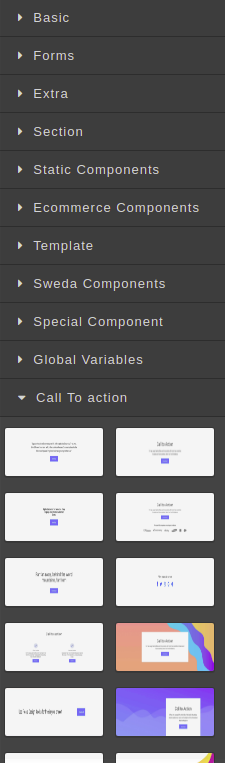 :heart_eyes:
用背景图片给你的自定义类和设置样式 例如代码: 在 bm.add 块中 以及CSS中的
相关问答
通过相似的问题讨论继续研究。
问题 #916
为什么图层没有元素标签名称?
我正在尝试 grapes内部结构,因为我将来想有所贡献。我主要感兴趣的是用通用的HTML网站来做值得,无论CSS和HTML的风格和结构如何(包括doctype、body support等)。 我原本以为 layers 层级会代表DOM树。虽然目前看起来是这样,但元素的命名似乎不...
问题 #1366
复制CSS
在最新版本的 Grapesjs上。我可以在两个版本上复制这个bug。Linux Ubuntoo、Moxilla。 我预计CSS只会出现一次,否则导出时窗口里会太多内容。CSS会被复制。@keyframes样式会发生重复。所以清除画布、拖拉标签、块到画布上、导出、导入,CSS就会...
问题 #371
启用默认的RTE并自定义函数
正确调用我的 API,想添加一个带有自定义功能以添加链接/打开新窗口/打开模态的 RTE: 命令可以控制fontSize,但下拉菜单没有对齐,显示的是选项值 该命令在 insertHTML 上无法使用。 功能无法工作(意图/非功能) ![grapes](https://user...
问题 #499
面板内的标签
你好,@artf, 正如你所知,在我公司,我们正在开发一款基于 GrapesJS的产品。 我们尽量保持与核心 GrapesJS 距离。作为开发者,我们尽力避免从 GrapesJS 创建分支,而是不断向仓库贡献。 现在,我们有一个新功能要开发,想知道它对 GrapesJS来说是否...
与此问题匹配的付费插件
根据问题关键词和标签相关性精选,助你更快交付。
正在加载付费插件推荐……
相关教程
关于同一主题的深入指南。
浏览插件分类
直接跳转到市场上的插件分类页面。