在编辑器中禁用面板视图容器在选定元素上的焦点
问题
嗨 我正在为我们的项目使用Grapejs,我的编辑器设计如下。 我的问题是如何关闭自动对焦面板视图容器。 只有点击面板按钮时才会显示。 每次我们把元素放到画布里或点击画布中的元素时,它总是会打开。 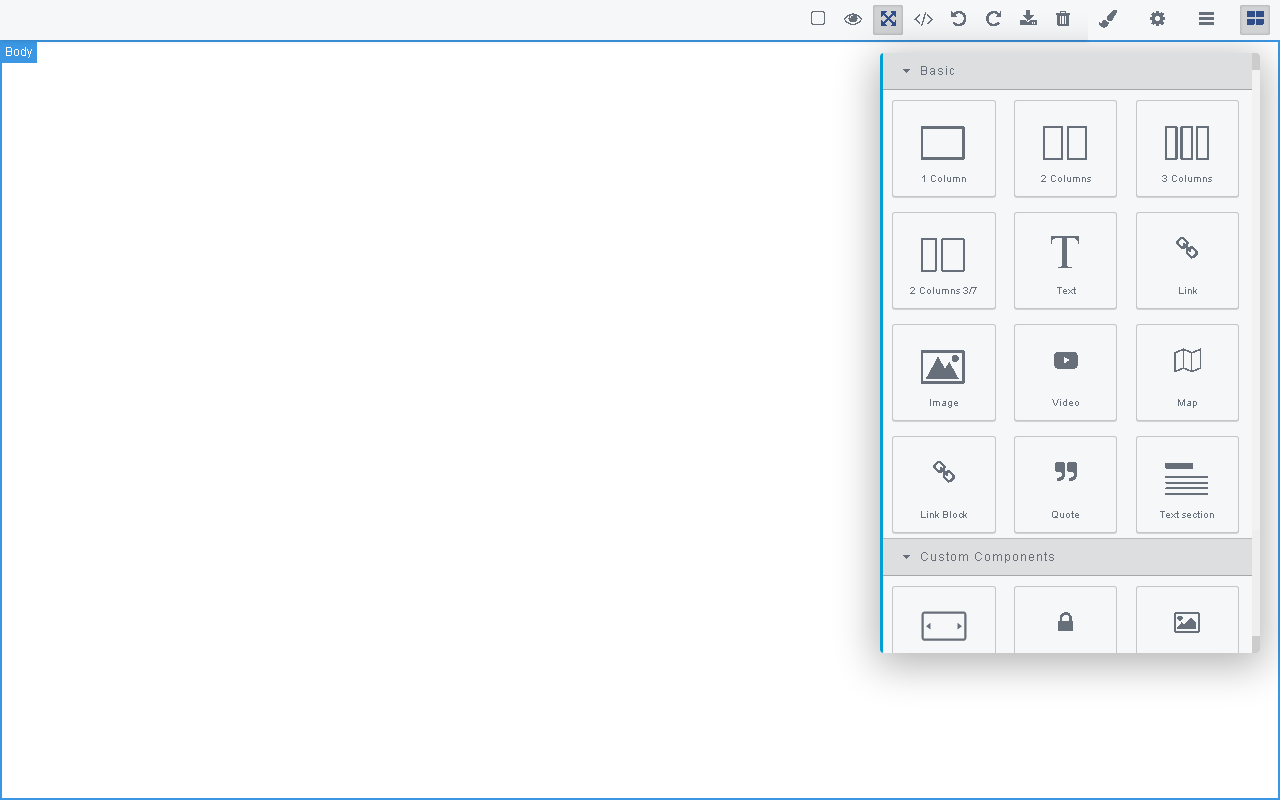
回答(1)
当你在画布中选择一个组件时 “''js editor.on('component:selected', () => { 失焦面板 });
当你开始把一个方块拖到画布上时
“''js
editor.on('block:drag:start', () => {
  失焦面板
});
相关问答
通过相似的问题讨论继续研究。
问题 #2721
无法从grapesjs/locale/导入任何locale文件。
你好,我在尝试用 ES6 导入从 'grapejs/locale' 导入任何 locale 文件时遇到了错误 我接着看了相关文档: https://grapesjs.com/docs/modules/I18n.html#configuration 但我总是得到这样一个: ![图...
问题 #2381
编辑器里能添加信息模态吗?
你好, 我想在 Grapejs 编辑器里添加一个可点击的问号,这样我们就能向用户提供该特定规格的具体信息。 ![图片](https://user-images.githubusercontent.com/36203690/68286437-65fbbf80-0081-11ea-...
问题 #4042
在 Angular 应用加载时图标没有加载
GrapesJS 版本[x] 我确认使用最新版本 GrapesJS你用的是什么浏览器? 铬可复制演示链接 https://stackblitz.com/edit/angular-dei45q?file=src%2Fapp%2Fapp.component.ts描述一下那个虫子 附...
问题 #2687
如何将样式管理器附加到自定义面板
我想把整个风格管理器模块附加到面板上?过去两天我一直在翻找文档,但没找到合适的例子。 我已经将GrapeJS编辑器面板初始化为空数组,以移除所有面板,并设置了示例中提供的自定义面板 目前看起来是这样的: ![图片](https://user-images.githubuserc...
与此问题匹配的付费插件
根据问题关键词和标签相关性精选,助你更快交付。
正在加载付费插件推荐……
浏览插件分类
直接跳转到市场上的插件分类页面。