自定义特征无法在远程存储管理器中保存
我从默认输入的特质中添加了更多特质。但这些特征并未保存在 Grapesjs JSON 元数据中 特征不应该被存储,不是组件的扩展,而只是更新组件的道具/属性。问题很可能是因为你没有遵守[第一条规则](https://grapesjs.com/docs/modules/Components.html#define-custom-component-type)
阅读下方完整回答 ↓问题
我从默认输入的特性中添加了更多特质。但这些特征并未保存在 Grapesjs JSON 元数据中。 上面是我在 Grapesjs 初始化函数中的存储配置。 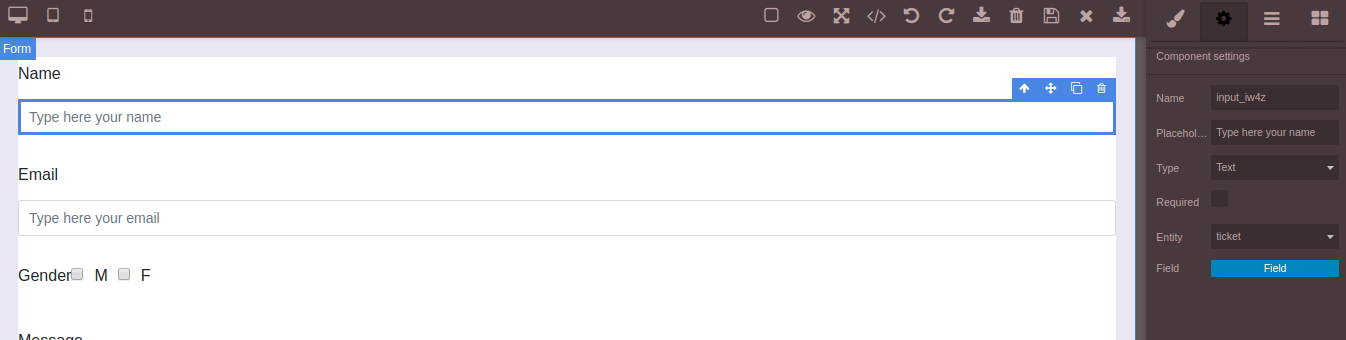 上图显示我有自定义的特征,称为entity及其字段,保存后返回后这些特征并未显示,尽管名称值也未显示在特征名称输入框中,如下图所示: 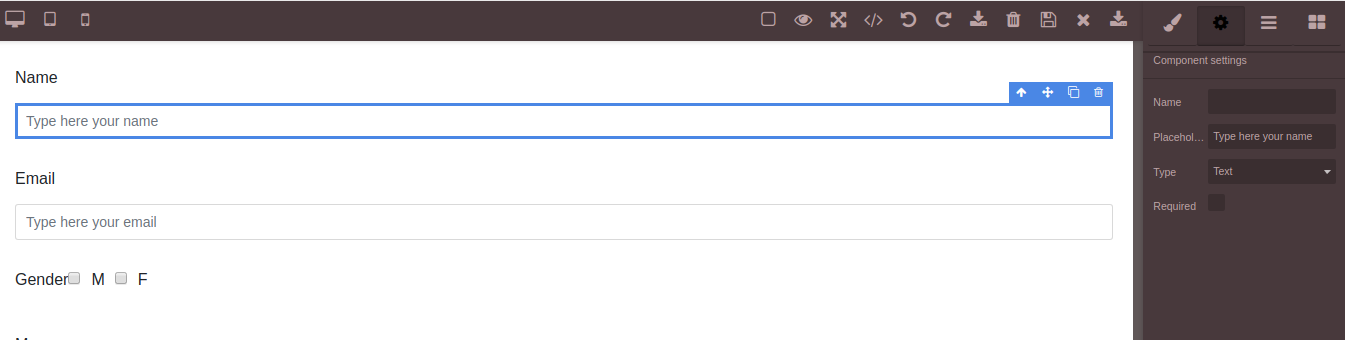
回答(1)
我从默认输入的特质中添加了更多特质。但这些特征并未保存在 Grapesjs JSON 元数据中
特征不应该被存储,不是组件的扩展,而只是更新组件的道具/属性。问题很可能是因为你没有遵守[第一条规则](https://grapesjs.com/docs/modules/Components.html#define-custom-component-type)
相关问答
通过相似的问题讨论继续研究。
问题 #2191
UrlLoad 和 UrlSave
你好, Grapesjs 是一款非常棒的软件,我已经玩了大约一周左右。我在 urlLoad 上有点挣扎。 我用的端点是返回json,你可以看到这里:  这是我的代码 const LandingP...
问题 #931
存档到数据库的问题
你好, 我在数据库中保存模板时遇到了一些问题,不太清楚为什么会这样。 我看过这里所有的问题,但仍然无法保存,总是有三种方法:保存空白、保存数组值,或者保存一个值之间有几十格的 JSON。 我的代码长这样: 当它以这种方式保存时,它会返回到控制台,我相信一切都是正确的,只是保存代...
问题 #993
用 remote storageManager 没有显示数据
你好,我有个问题: 当我复制粘贴邮件模板(http://www.charlesmudy.com/respmail/ - 我用的是 gjs-open-import-webpage 插件)。保存到数据库......一切都看得清楚。编辑: <img width=“1277” alt=...
与此问题匹配的付费插件
根据问题关键词和标签相关性精选,助你更快交付。
正在加载付费插件推荐……
浏览插件分类
直接跳转到市场上的插件分类页面。