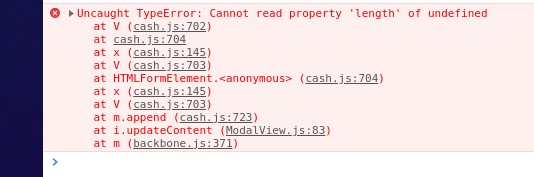
Modal close : Uncaught TypeError: Cannot read property 'length' of undefined at V (cash.js:702)
Hello there! I think the problem is not your modal, but it is the first command you are running: testo = editor.runCommand('gjs-get-inlined-html'); you must stop it as well: stop: function (editor) { editor.Modal.close(); editor.stopCommand('gjs-get-inlined-html') } cheers.
Read full answer below ↓Question
Hi,
I've this code to display a modal when I click on my custom button.
const commands = editor.Commands;
commands.add('salva-template-command', {
run: function (editor, sender, options) {
testo = editor.runCommand('gjs-get-inlined-html');
var modalTitle = 'My Title';
var modalContent = '<h1> my content</h1>';
const modal = editor.Modal;
modal.setTitle(modalTitle);
modal.setContent(modalContent);
modal.open()
modal.onceClose(() => this.stopCommand());
},
stop: function (editor) {
editor.Modal.close();
}
})
panelManager.addButton('commands', {
id: 'btnSaveAsTemplate',
className: 'fa fa-th-large',
command: 'salva-template-command',
attributes: { title: 'My titile' },
});
At first click, the modal appears correctly. Then I close it. Now, if I click it again I've this error in console:

I'm able to show it again only if I click for another time the custom button.
I've already followed the instruction provided here --> https://grapesjs.com/docs/modules/Commands.html#stateful-commands but I'm not able to figure it out.
My GrapeJS version is : "0.14.62" (latest). I'm facing the issue with my local copy. Tested on Firefox (latest) and Chorme (latest) on Ubuntu 16.04 LTS.
Thanks in advance!
Answers (2)
Hello there! I think the problem is not your modal, but it is the first command you are running:
testo = editor.runCommand('gjs-get-inlined-html');
you must stop it as well:
stop: function (editor) { editor.Modal.close(); editor.stopCommand('gjs-get-inlined-html') }
cheers.
Thanks @pouyamiralayi !
Related Questions and Answers
Continue research with similar issue discussions.
Issue #3575
grapes.min.js:2 Uncaught TypeError: Cannot read property 'length' of undefined
I got this error when add the <iframe src="https://app.conversiobot.com/boot/fvMEvO" width="100%" height="500" frameBorder="0" allow="geolo...
Issue #1457
[Question]: Custom asset manager background-image in Style Manager
Hello, i want to use custom Asset Manager i am used this solution, ` var assettarget =''; editor.Commands.add('open-assets', { run(editor,...
Issue #1614
[Bug]: adding css variables as style manager property
trying to add css variable to style manager causing error: Uncaught TypeError: Cannot read property 'toUpperCase' of undefined fiddle Am i...
Issue #2661
[BUG] toggleStateCls returns js error
Hi there, guys. I found a bug at the LayerManager: I've got an html comment as a layer in the LM. I click the comment. I get an error at th...
Paid Plugins That Match This Issue
Curated by issue keywords and label relevance to help you ship faster.
Loading paid plugin recommendations...
Check the open-source GrapesJS plugins on GitHub or run a quick search in our free catalog.
Browse free plugins →Premium plugins ship with support, regular updates, and production-ready features — save days of integration work.
Browse premium plugins →Related tutorials
In-depth guides on the same topic.
Tutorial
ScribeJS: Lightweight Inline Rich Text Editor
In the world of web development, rich text editors often feel bulky, slow, and difficult to integrate.
Tutorial
🚀 Introducing the New GrapesJS Plugin Generator on GJS.Market
We’re excited to announce a powerful new tool for GrapesJS developers — the GrapesJS Plugin Generator on GJS.Market!
Tutorial
Best GrapesJS Plugins in 2025 (Updated List)
Discover the top free and premium GrapesJS plugins in 2025 — boost your editor with UI kits, Tailwind blocks, AI tools, and advanced page managers.
Browse Plugin Categories
Jump directly to plugin category pages on the marketplace.