NS_ERROR_FAILURE on rte.exec
Is this an issue with how components are handled by grapesjs? Could you help me understand why this might be happening and what I can do to address this? Yeah, it's how the built-in text component and RTE work, so I'd just update your result() logic by adding a check if the selected component is a link, and in that ca...
Read full answer below ↓Question
I'm currently using GrapesJS to build an editor for blog posts in my website. One of the things that I wanted to change from the default behavior was the inability to "unlink" a piece of text that had been converted to a hyperlink using the rte toolbar. So I wrote the following function:
editor.RichTextEditor.add('hyperlink',
{
icon: '🔗',
attributes: {title: 'Hyperlink'},
result: rte =>
{
var range = rte.selection().getRangeAt(0);
var container = range.commonAncestorContainer;
if (container.nodeType == 3)
container = container.parentNode;
if(container.nodeName === "A")
{
var sel = rte.selection();
sel.removeAllRanges();
range = document.createRange();
range.selectNodeContents(container);
sel.addRange(range);
rte.exec('unlink');
}
else
{
var url = window.prompt('Enter the URL to link to:');
if (url)
rte.insertHTML(`<a class="link" href="${url}">${rte.selection()}</a>`);
}
}
});
The function allows you to unset a link, if the cursor/selection is anywhere inside the hyperlink text.
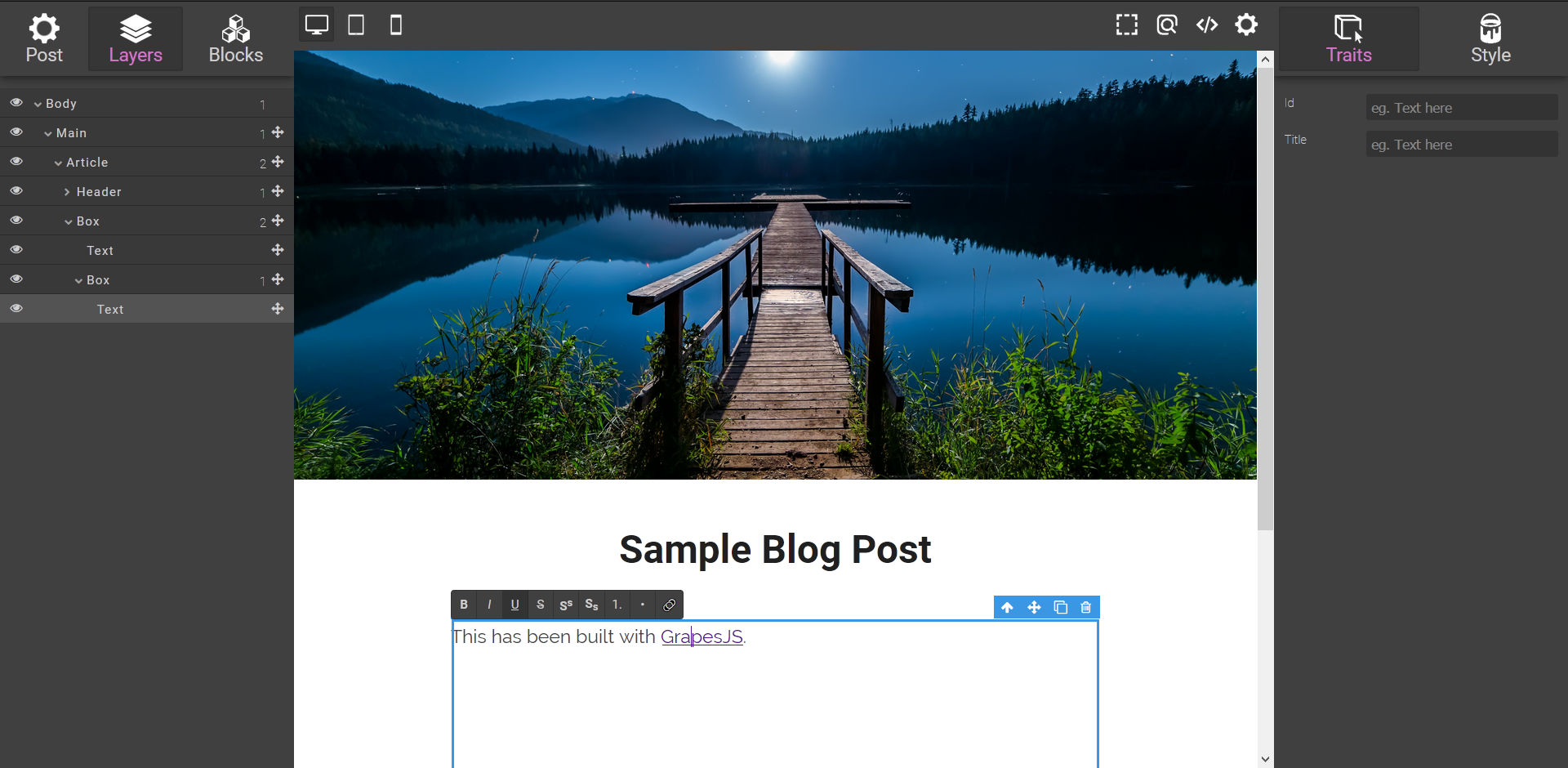
I tested this by selecting some text that was part of a paragraph and converting it into a hyperlink as follows (the hyperlink button is the rightmost button in the RTE toolbar):

[Working Case] As you can see from the layer manager on the left, even though the selection ("GrapesJS") has been converted into a link, it will not be recognized as a new component unless I click outside of the current text block.
At this point, I am able to select the text again and press the button associated with my hyperlink command to successfully unlink the text.

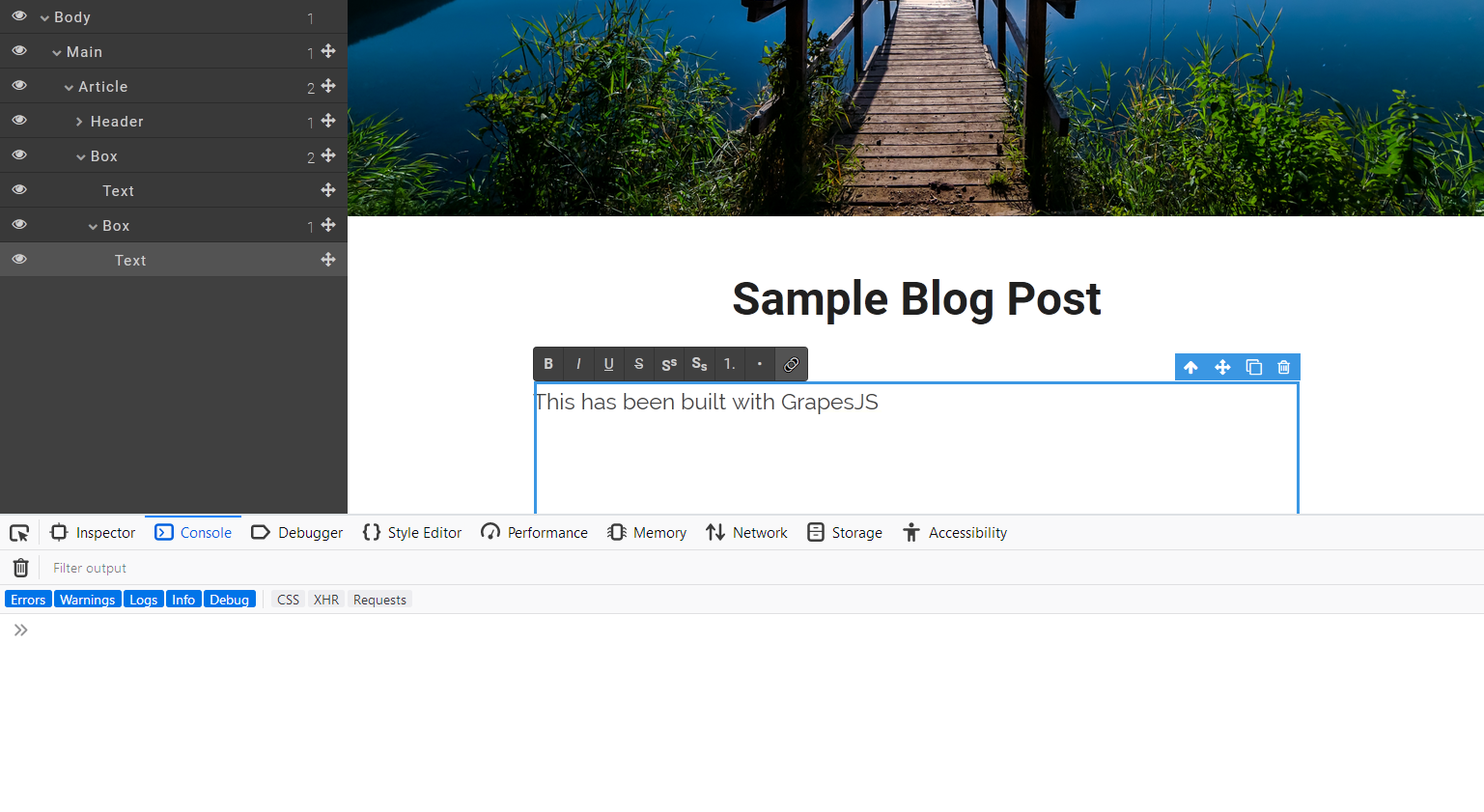
[Failure Case] If, however, after link creation I click outside the block, the link is recognized as a component, and it appears as a child of the text node in the layer manager.
Now, if I try to click inside the link and press the button, it does not work, but instead throws an error "NS_ERROR_FAILURE" at exec http://unpkg.com/grapesjs:43426

The steps followed are exactly the same for both, the working and the failure cases. The only thing that changes is that in the working case, I create the link and also unlink it without clicking outside the text block (i.e., so grapesjs does not treat my link as a "new" component), while in the failure case, I create the link, click outside, and then attempt to unlink the text by clicking inside the newly recognized component.
Is this an issue with how components are handled by grapesjs? Could you help me understand why this might be happening and what I can do to address this?
Info: GrapesJS Version Used: Latest from unpkg Browser: Mozilla Firefox 64.0.4
Answers (2)
Is this an issue with how components are handled by grapesjs? Could you help me understand why this might be happening and what I can do to address this?
Yeah, it's how the built-in text component and RTE work, so I'd just update your result() logic by adding a check if the selected component is a link, and in that case replacing it with something else
const comp = editor.getSelected();
comp.is('link') && comp.replaceWith(`${comp.get('content')}`);
This worked perfectly! Thank you!
Related Questions and Answers
Continue research with similar issue discussions.
Issue #3135
[Help Wanted] How to easily override existing component ?
For example, I want to add a double click event handler on the default video component to open the assets manager. My basic idea was to get...
Issue #3269
Translating html string
Great library! It meets all the requirements but one: website text translation. I've searched high and low through the issue queue and docs...
Issue #4449
Lists not working with default RTE
GrapesJS version [X] I confirm to use the latest version of GrapesJS What browser are you using? Chrome Version 102.0.5005.115 (Official Bu...
Issue #3265
RenderField in traitView does not handle null or undefined
Hi @artf! Working on the editor on one of my custom traits i had an issue where for some reason that is not important, the createInput was...
Paid Plugins That Match This Issue
Curated by issue keywords and label relevance to help you ship faster.
Loading paid plugin recommendations...
Check the open-source GrapesJS plugins on GitHub or run a quick search in our free catalog.
Browse free plugins →Premium plugins ship with support, regular updates, and production-ready features — save days of integration work.
Browse premium plugins →Browse Plugin Categories
Jump directly to plugin category pages on the marketplace.