Issue #1738💬 AnsweredOpened January 22, 2019by cnaa970 reactions

Table cell(td, th) resize error

快速解答by artf

The real problem here is the class actually, so I'm ok with removing them from the core (they are actually useless here), but I'd avoid other table-related components.

Read full answer below ↓

Question

Hello. I'm working on Table feature with this awesome project grapesjs.

Problem

  1. I added table component on canvas.
  2. In ComponentTableBody.js, change default rows and columns options.
  3. In ComponentTableCell.js, add a resizable options on cell component.
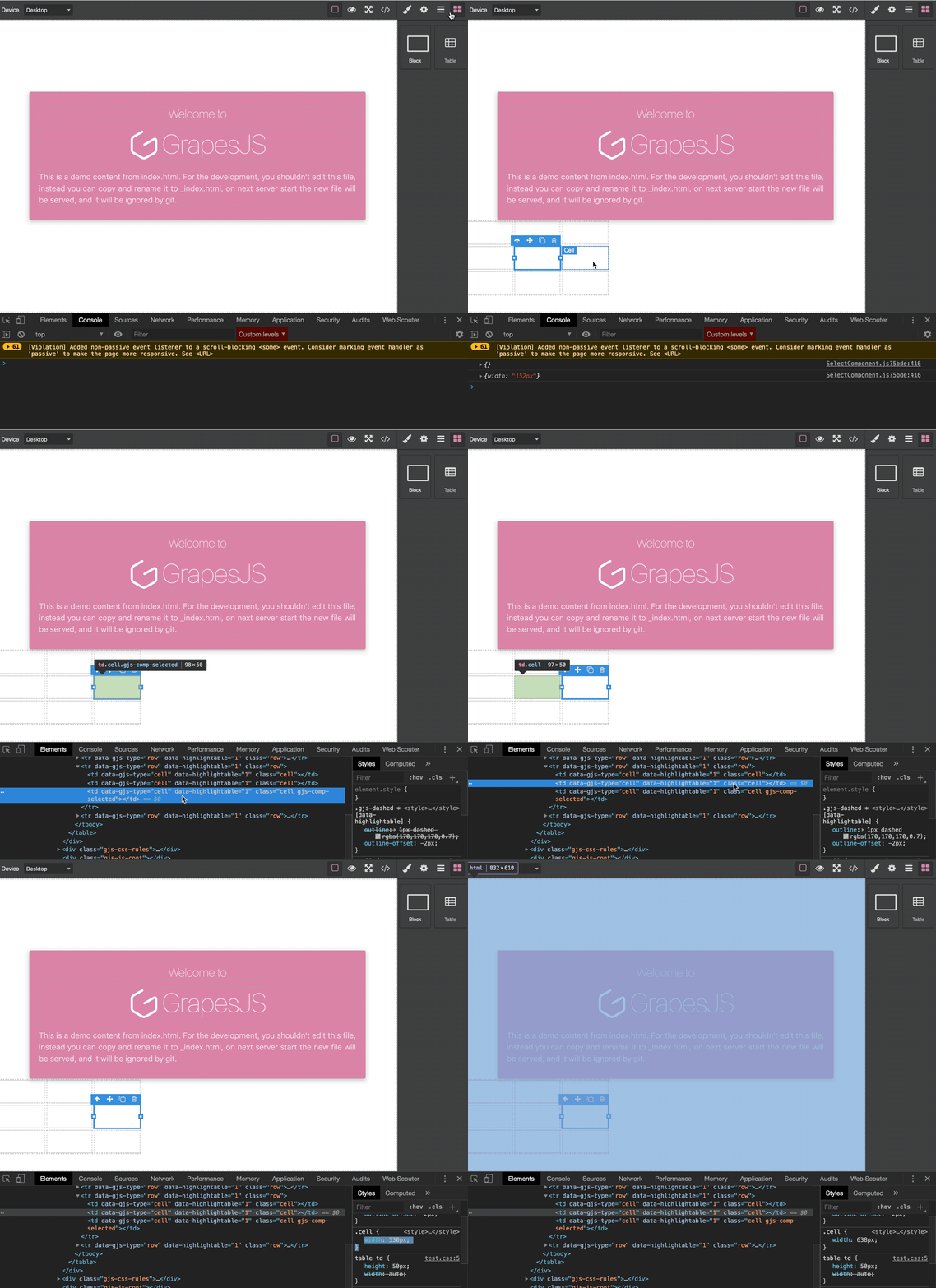
  4. then In order to make resizing cell feature, but It doesn't work.

2019-01-22 14-06-46 2019-01-22 14_09_43

Description of problem

Then when I handle resizing cell, then It looks update css class, but didn't updated on view. Because of the default css class of cell component has only one class named 'cell'.

For the other hand, In order to change table column resize, colgroup and col is standard in HTML. and grapesjs looks to need a colgroup and col component.

My suggestion

  1. Add a indexed css class for each cell by default.
  2. Add a new components, colgroup and col element.
  3. In SelectComponent, add a conditional statements for resizing cell.

2019-01-22 14-10-55 2019-01-22 14_12_44


If you don't mind, I want to contribute with Pull Request.

Answers (2)

artfJanuary 22, 2019

The real problem here is the class actually, so I'm ok with removing them from the core (they are actually useless here), but I'd avoid other table-related components.

lock[bot]January 24, 2020

This thread has been automatically locked since there has not been any recent activity after it was closed. Please open a new issue for related bugs.

Related Questions and Answers

Continue research with similar issue discussions.

Paid Plugins That Match This Issue

Curated by issue keywords and label relevance to help you ship faster.

View all plugins

Loading paid plugin recommendations...

Free option

Check the open-source GrapesJS plugins on GitHub or run a quick search in our free catalog.

Browse free plugins →
Premium option

Premium plugins ship with support, regular updates, and production-ready features — save days of integration work.

Browse premium plugins →

Related tutorials

In-depth guides on the same topic.

All tutorials →

Browse Plugin Categories

Jump directly to plugin category pages on the marketplace.