Issue #1635💬 AnsweredOpened December 6, 2018by frasza0 reactions

Text component behaviour

快速解答by artf

You're storing the template incorrectly https://grapesjs.com/docs/modules/Storage.html#setup-remote-storage

Read full answer below ↓

Question

We are having issues using Text component where its behaviour is different when using Enter for new paragraph or using double Enter where we would like to insert some space between.

If we use single Enter in Text component this is the result:

<div id="i2bhr5" style="padding: 10px;">Insert your text here
  <div>and here as well
  </div>
  <div>and here
  </div>
</div>

image

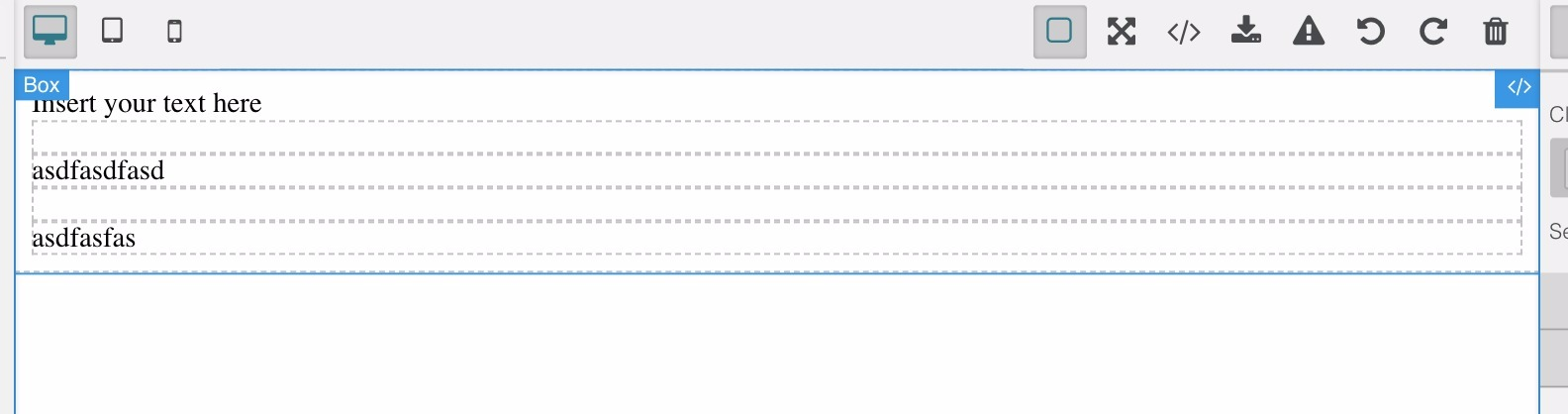
But if we use Text component with two Enters for one extra free line, this is the result:

<div id="i2bhr5" style="padding: 10px;">Insert your text here
  <div>
    <br>
    <div id="if94j1">and here as well
    </div>
    <div id="if94j1">
      <br>
    </div>
    <div id="is6bvk">and here
    </div>
  </div>
</div>

image

What you see here is behaviour after I reload the template and when using more Enter for spacing, first line doesn't stay Text anymore but becomes Box and it becomes impossible to edit it. While editing it, it is fine, the problem is here at reloading/importing the template.

Any ideas?

Answers (2)

lock[bot]December 7, 2019

This thread has been automatically locked since there has not been any recent activity after it was closed. Please open a new issue for related bugs.

Related Questions and Answers

Continue research with similar issue discussions.

Paid Plugins That Match This Issue

Curated by issue keywords and label relevance to help you ship faster.

View all plugins

Loading paid plugin recommendations...

Free option

Check the open-source GrapesJS plugins on GitHub or run a quick search in our free catalog.

Browse free plugins →
Premium option

Premium plugins ship with support, regular updates, and production-ready features — save days of integration work.

Browse premium plugins →

Related tutorials

In-depth guides on the same topic.

All tutorials →

Browse Plugin Categories

Jump directly to plugin category pages on the marketplace.