Issue #1235💬 AnsweredOpened June 25, 2018by NorthstarTech0 reactions

Line-Height not working from typography section when we copied from MSWord

快速解答by artf

You have to paste plain text instead of the formatted one copied from Word, use <kbd>Ctrl</kbd> + <kbd>⇧ (shift)</kbd> + <kbd>V</kbd>

Read full answer below ↓

Question

When we copy a text from word and then change the Line-height from Typography, it doesnot change it. How Can I change the Line-height of the text that is copied from word or pdf.

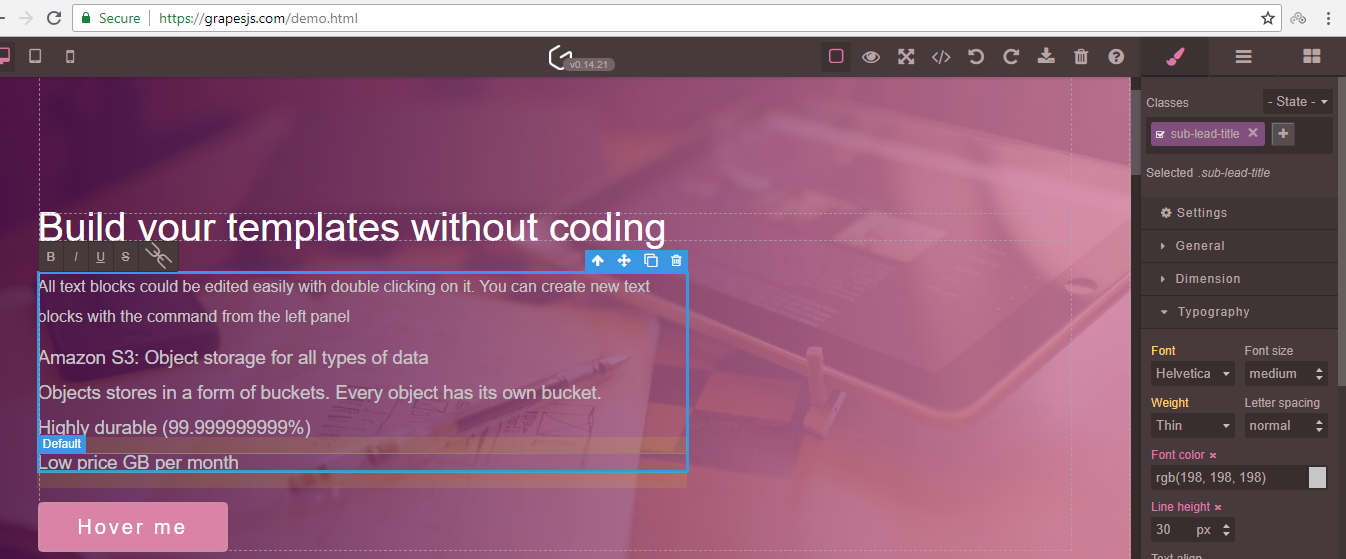
This issue also occurs in the demo. Please help me and provide me the solution asap. Thanks 2018-06-25_16-00-52

Answers (2)

artfJune 30, 2018

You have to paste plain text instead of the formatted one copied from Word, use <kbd>Ctrl</kbd> + <kbd>⇧ (shift)</kbd> + <kbd>V</kbd>

lock[bot]September 17, 2019

This thread has been automatically locked since there has not been any recent activity after it was closed. Please open a new issue for related bugs.

Related Questions and Answers

Continue research with similar issue discussions.

Paid Plugins That Match This Issue

Curated by issue keywords and label relevance to help you ship faster.

View all plugins

Loading paid plugin recommendations...

Free option

Check the open-source GrapesJS plugins on GitHub or run a quick search in our free catalog.

Browse free plugins →
Premium option

Premium plugins ship with support, regular updates, and production-ready features — save days of integration work.

Browse premium plugins →

Related tutorials

In-depth guides on the same topic.

All tutorials →

Browse Plugin Categories

Jump directly to plugin category pages on the marketplace.