Issue #1187💬 AnsweredOpened June 9, 2018by endersaka0 reactions

Why dashed lines do not show around components?

快速解答by ssabrewolf

To show the dashed lines you need to run in on editor load event editor.runCommand('sw-visibility');

Read full answer below ↓

Question

After long time I am trying again with GrapesJS.

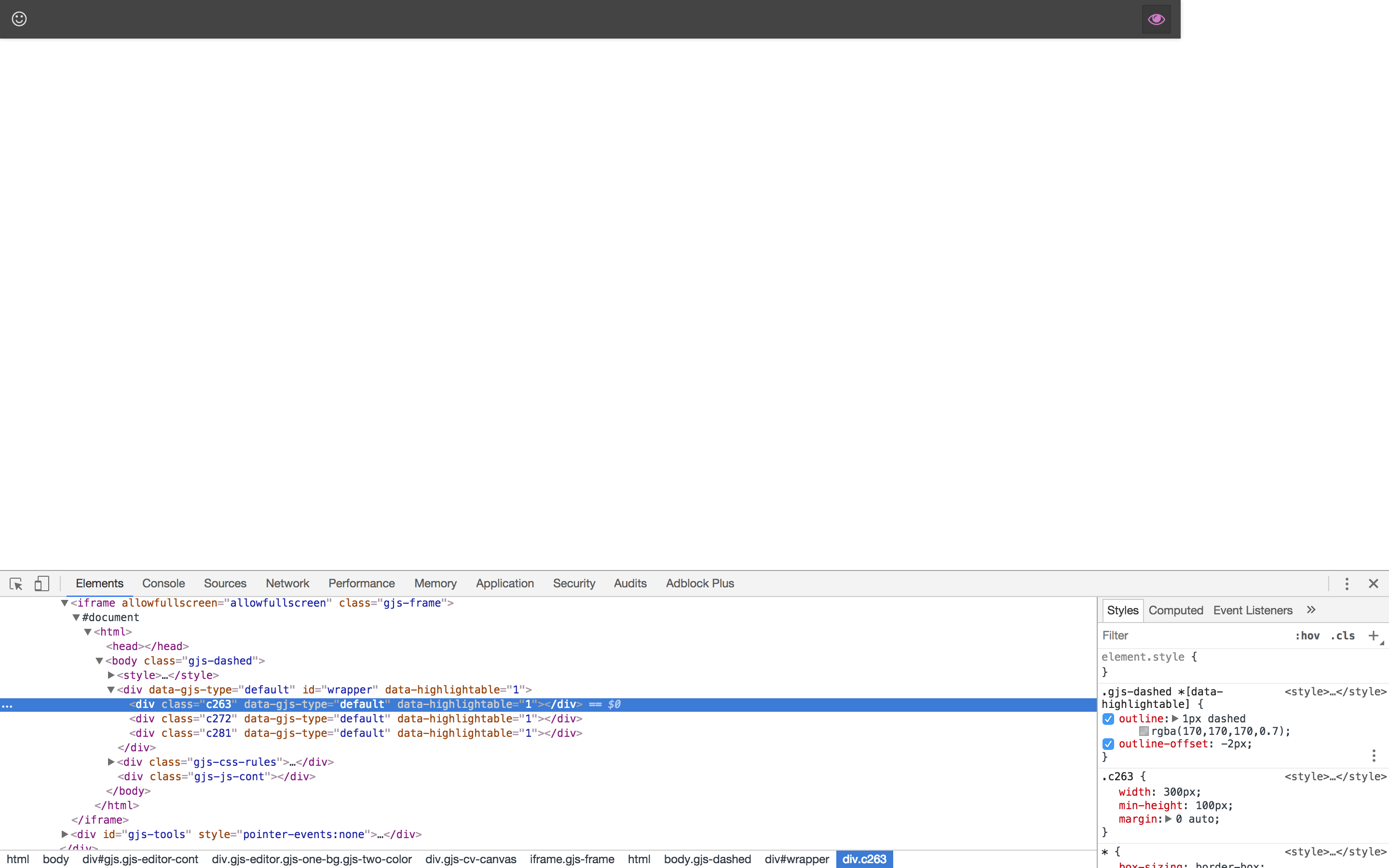
I am following the Getting Started page and I am stuck to this step https://github.com/artf/grapesjs/wiki#components In fact, I am trying to "highlight" the components with a dashed line, pressing the "eye" button, as explained in the tutorial, but it does not work.

GrapesJS version is 0.14.17. I am using Mac OS X. I tested on both Safari and Chrome. The Web Demo works correctly.

Actually, when I press the "eye" button it changes the CSS of the components (as you can see in the attached image) but the modification is not visible in the canvas.

Here is the code of index.html:

<!DOCTYPE html>
<html lang="en" dir="ltr">
<head>
  <meta charset="utf-8">

  <title>My GrapesJS</title>


  <link type="text/css" rel="stylesheet" href="../grapesjs/dist/css/grapes.min.css">
  <script type="text/javascript" src="../grapesjs/dist/grapes.min.js"></script>

  <script type="text/javascript" src="dist/js/bundle.js"></script>

  <link type="text/css" rel="stylesheet" href="css/main.css">
</head>
<body>
  <div id="gjs"></div>

  <script type="text/javascript">
    var editor = grapesjs.init({
      container: '#gjs',
      //components: '<div class="txt-red">Hello world!</div>',
      //style: '.txt-red{color: red}',
      height: '100%',
      storageManager: {
        type: 'none'
      },
      components: '<div style="width:300px; min-height:100px; margin: 0 auto"></div>' +
              '<div style="width:400px; min-height:100px; margin: 0 auto"></div>' +
              '<div style="width:500px; min-height:100px; margin: 0 auto"></div>',
      panels: {
        defaults: [
          {
            id: 'commands',
            buttons: [
              {
                id: 'smile',
                className: 'fa fa-smile-o',
                attributes: {
                  title: 'Smile'
                },
                command: 'helloWorld'
              },
              {
                id        : 'vis',
                className : 'fa fa-eye',
                command   : 'sw-visibility',
                context   : 'some-random-context', // For grouping context of buttons in the same panel
                active    : true,
              }
            ]
          }
        ]
      },
      commands: {
        defaults: [
          {
            id: 'helloWorld',
            run: function(editor, senderBtn){
              alert('Hello world!');

              // Deactivate the button.
              senderBtn.set('active', false);
            },
            stop: function(editor, senderBtn){

            }
          }
        ]
      }
    });
  </script>
</body>
</html>

main.css

body {
  margin: 0;
}

screeshot 2018-06-09 alle 01 19 37

Answers (3)

ssabrewolfJune 10, 2018

To show the dashed lines you need to run in on editor load event editor.runCommand('sw-visibility');

endersakaJune 11, 2018

Thanks.

Maybe I don't remember well but I am almost sure that it is not explained in the documentation tutorial.

artfJune 14, 2018

I think it's just because you need to indicate the height for your document

html,
body {
	height: 100%;
}

Related Questions and Answers

Continue research with similar issue discussions.

Paid Plugins That Match This Issue

Curated by issue keywords and label relevance to help you ship faster.

View all plugins

Loading paid plugin recommendations...

Free option

Check the open-source GrapesJS plugins on GitHub or run a quick search in our free catalog.

Browse free plugins →
Premium option

Premium plugins ship with support, regular updates, and production-ready features — save days of integration work.

Browse premium plugins →

Related tutorials

In-depth guides on the same topic.

All tutorials →

Browse Plugin Categories

Jump directly to plugin category pages on the marketplace.